

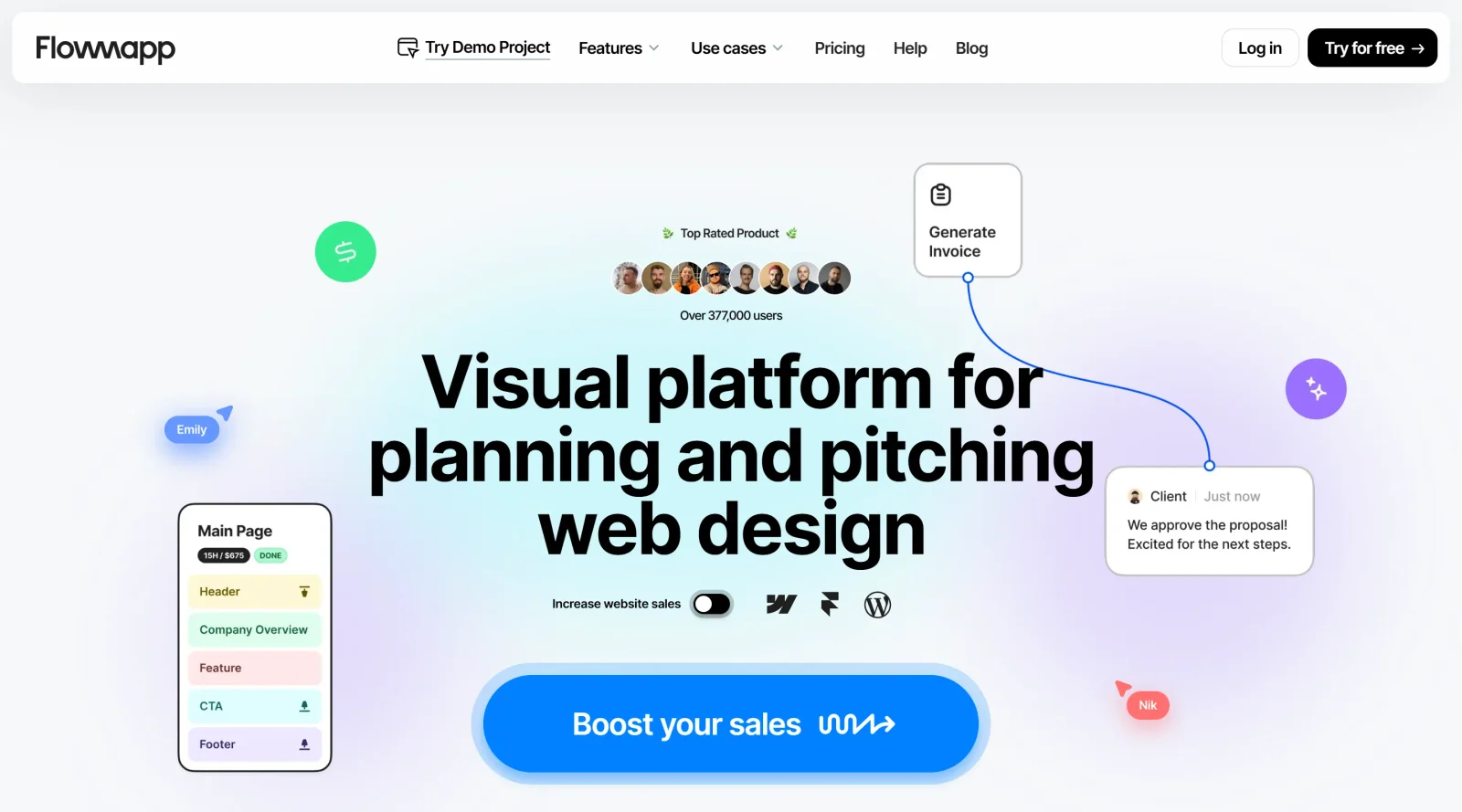
Create visual sitemaps and user flows to plan user experience.
What it costs
- Free tier
- Yes
Freemium with a free tier ('Try for free'); paid plan prices are on the separate /pricing page that wasn't scraped.
Auto-checked on 8 August 2026Source
About FlowMapp
Flowmapp is an innovative design tool tailored for UX/UI designers, agencies, and freelancers looking to streamline their website planning and proposal processes. This AI-driven platform offers a comprehensive suite of features that enhance collaboration, project management, and client engagement, making it an essential addition to any designer's toolkit.
Key Features of Flowmapp
1. Interactive Sitemap CreationFlowmapp allows users to create interactive visual sitemaps effortlessly. The platform includes a page editor and AI generator that facilitate quick setup and organization of website structures. This feature not only saves time but also enhances clarity in presenting the website’s architecture to clients and team members.
2. Comprehensive Project BriefingThe tool enables users to formulate detailed project briefs directly within the platform. This initial step is crucial for defining project scope and requirements, ensuring that all stakeholders are aligned from the outset.
3. AI-Powered Wireframe GenerationWith Flowmapp's AI capabilities, designers can generate wireframes rapidly. This feature accelerates the planning phase by providing a visual representation of the website layout, which can be further refined as the project evolves.
4. Cost Estimation and Project TimingFlowmapp simplifies the estimation process by allowing users to quickly calculate project costs based on various parameters such as design, development, and copywriting. Additionally, it provides a detailed breakdown of project timing, helping teams manage deadlines effectively.
5. Proposal CreationThe platform integrates all its tools to help users craft compelling proposals that are more likely to convert leads into clients. By combining visuals with well-structured content, Flowmapp enhances the overall presentation of proposals.
6. Export OptionsFlowmapp supports multiple export formats including PDF, PNG, XML, CSV, and direct exports to Figma. This flexibility allows designers to integrate their work seamlessly into other tools or present it in various formats suited for different audiences.
7. User Flows and Content ManagementThe tool facilitates the creation of user flows that illustrate how users will navigate through the site. This visualization supports better decision-making regarding user experience design. Moreover, users can add engaging content directly into their proposals to make them more meaningful.
Benefits of Using Flowmapp
Using Flowmapp can significantly enhance productivity for design teams by providing a centralized platform for all aspects of website planning:
- Increased Efficiency: By streamlining the sitemap creation and wireframing processes, teams can focus more on design quality rather than administrative tasks.
- Enhanced Collaboration: Flowmapp's collaborative features allow multiple team members to work simultaneously on projects, improving communication and reducing bottlenecks.
- Improved Client Engagement: With visually appealing presentations and detailed proposals, designers can better engage clients and increase conversion rates.
User Testimonials
Many users have praised Flowmapp for its intuitive interface and powerful capabilities:
- A graphic designer noted that "Flowmapp speeds up workflow" by organizing the website planning process efficiently.
- Another user highlighted the ease of generating online sitemaps and user flows in a visually pleasing manner.
- Freelancers have found it particularly useful for managing complex projects without overwhelming delays.
Conclusion
Flowmapp stands out as a versatile tool for anyone involved in web design and development. Its combination of AI-driven features and user-friendly interface makes it an invaluable resource for creating effective website proposals and managing projects efficiently. Whether you are a freelancer looking to enhance your service offerings or part of a larger agency aiming to improve workflow, Flowmapp provides the tools necessary to succeed in today’s competitive digital landscape.With its robust features designed specifically for UX/UI professionals, Flowmapp not only simplifies the design process but also empowers teams to deliver high-quality results that meet client expectations. Explore how Flowmapp can transform your design workflow today!
Featured Tools
Sponsored
Artlist
Royalty-free music, SFX, 8K footage, templates, LUTs and 100+ AI models on a single subscription for video creators.

Icons8
Large icon packs featuring over 10,000 icons for consistent design themes.

Vidu
AI video generator with text, image and reference-to-video modes, producing 3–16 second clips at up to 1080p with characters that stay consistent across shots.
Your tool here
The tools above are our own picks until the slots sell.

Tools we recommend


Editorially chosen. Some links above are affiliate links — if you sign up we may earn a commission, at no extra cost to you.
More UX Tools Tools


Slicer.dev
Slicer audits entire websites and user flows, giving teams a structured way to review UI/UX at scale — then extracts any component it finds into ready-to-use AI prompts or React code.


2020 Ipsum
A Lorem Ipsum generator themed on unforgettable 2020 events.


Aaply
Wireframe mobile apps and create user-centered product experiences.


Avvvatars
Unique placeholder avatars tailored to your users.


Axure
Plan, wireframe, and prototype without any coding required.


Ballpark
Quick asynchronous product research for prototypes and designs.
Explore Other Categories
Discover more design resources
New to Design?
Explore our comprehensive design glossary to master essential terminology from A/B Testing to Wireframes.
Browse GlossaryLooking for something specific?
Search through our entire collection of design tools and resources