
What it costs
- Free tier
- No
Scrape unavailable — the site returned a Cloudflare SSL handshake error (525) with no page content.
Auto-checked on 8 August 2026Source
About Lyricsum
What Is Lyricsum?
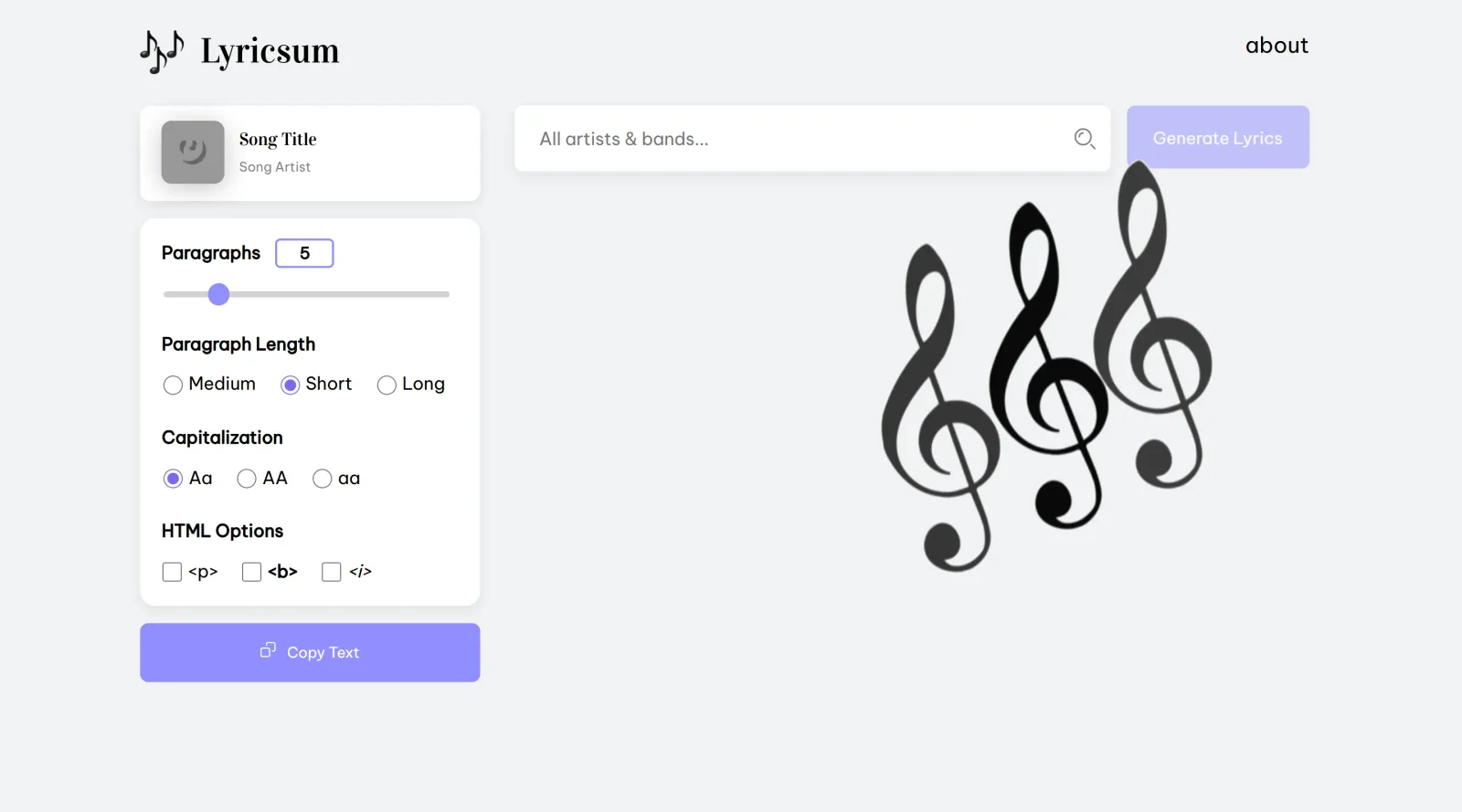
Lyricsum is a free UX tool that generates Lorem Ipsum placeholder text derived from song lyrics. It serves designers in the ux-tools category by providing an alternative to traditional dummy text, incorporating rhythmic and thematic elements from music lyrics into prototyping workflows. Lyricsum fits into early-stage UI/UX design processes where developers and designers need realistic filler content to test layouts, typography, and readability without relying on generic Latin phrases.
What Lyricsum Does
- Generates placeholder text based on actual song lyrics, replacing standard Lorem Ipsum with music-inspired content.
- Offers free access to lyric-derived dummy text suitable for web and app prototypes.
- Provides text variations that mimic natural language flow through lyrical phrasing and structure.
- Supports quick insertion of contextually engaging placeholders for UI elements like body text, headings, and captions.
- Allows designers to refresh or regenerate text snippets on demand for iterative design testing.
- Integrates rhythmic patterns from lyrics to evaluate line breaks and visual hierarchy in layouts.
How Lyricsum Can Be Used
- In Figma or Sketch prototypes, designers paste Lyricsum-generated text into wireframes to assess how lyrical phrasing affects readability during user testing.
- During responsive design workflows, developers use it to populate mobile and desktop mockups, checking how song-like text wraps across breakpoints.
- For music app UI projects, it supplies authentic-feeling placeholders that align with thematic content, such as streaming interfaces or lyric displays.
- In collaboration tools like Adobe XD, teams share prototypes with lyric-based text to simulate real content without copyright issues from actual songs.
Lyricsum streamlines workflows by enabling rapid iteration on text-heavy designs, from landing pages to dashboard UIs, where traditional placeholders feel disconnected from musical or creative contexts.
Who Is Lyricsum For?
Lyricsum suits UX designers, UI developers, and prototyping specialists working on projects involving music streaming apps, lyric annotation platforms, or creative content interfaces. It benefits those at intermediate to advanced experience levels who seek free ux-tools to enhance placeholder realism in design sprints, particularly for roles focused on typography, layout testing, and user-centered music UI/UX development. Junior designers can use it to experiment with text flow in portfolios or client pitches. Visit Lyricsum
Featured Tools
Sponsored
Artlist
Royalty-free music, SFX, 8K footage, templates, LUTs and 100+ AI models on a single subscription for video creators.

Icons8
Large icon packs featuring over 10,000 icons for consistent design themes.

Vidu
AI video generator with text, image and reference-to-video modes, producing 3–16 second clips at up to 1080p with characters that stay consistent across shots.
Your tool here
The tools above are our own picks until the slots sell.
Spotlight
SponsoredRotates daily
Glyph Neue
Over 1,500 icons in SVG and PNG formats, free with attribution.
Tools we recommend


Editorially chosen. Some links above are affiliate links — if you sign up we may earn a commission, at no extra cost to you.
More UX Tools Tools


Slicer.dev
Slicer audits entire websites and user flows, giving teams a structured way to review UI/UX at scale — then extracts any component it finds into ready-to-use AI prompts or React code.


2020 Ipsum
A Lorem Ipsum generator themed on unforgettable 2020 events.


Aaply
Wireframe mobile apps and create user-centered product experiences.


Avvvatars
Unique placeholder avatars tailored to your users.


Axure
Plan, wireframe, and prototype without any coding required.


Ballpark
Quick asynchronous product research for prototypes and designs.
Explore Other Categories
Discover more design resources
New to Design?
Explore our comprehensive design glossary to master essential terminology from A/B Testing to Wireframes.
Browse GlossaryLooking for something specific?
Search through our entire collection of design tools and resources