

What it costs
- Free tier
- Yes
Free UX-writing library (copy-to-clipboard) monetized via partner links; the price signals came from example microcopy text, not the tool's own pricing.
Auto-checked on 8 August 2026Source
About Microcopy
What Is Microcopy?
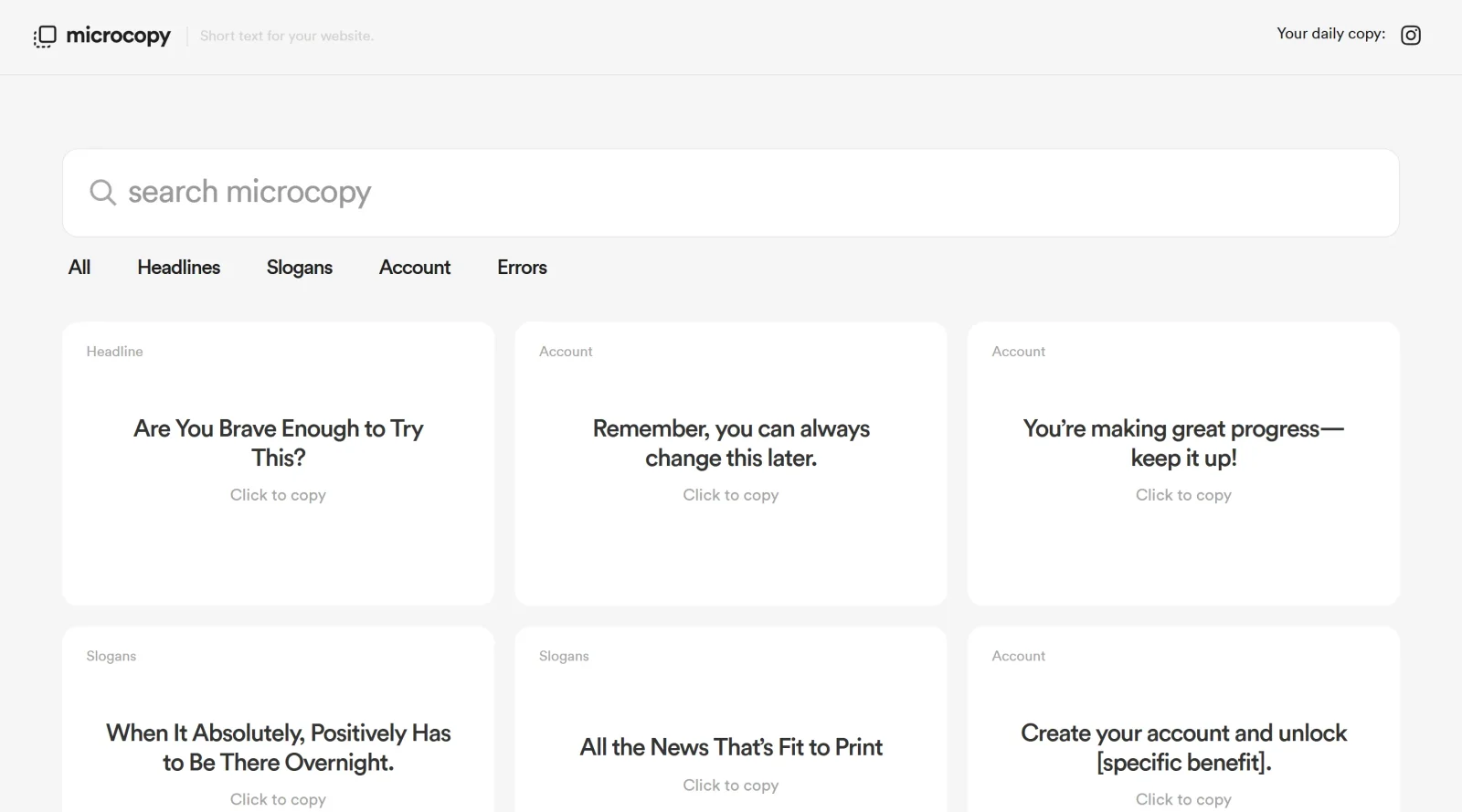
Microcopy is a free UX tool that provides short and simple text placeholders for websites. It serves as a resource within the ux-tools category, offering ready-to-use snippets of microcopy—brief text elements such as button labels, error messages, form placeholders, and tooltips—that designers and developers integrate into digital interfaces. Microcopy fits into the design workflow during the UI/UX prototyping and refinement stages, where teams need concise, effective wording to enhance user guidance and clarity without extensive writing efforts. By supplying these placeholders, Microcopy enables quick iteration on user experience elements, ensuring interfaces communicate functionality and instructions succinctly.
What Microcopy Does
- Supplies short text placeholders for call-to-action buttons, such as "Submit" or "Sending," to indicate actions and status changes.
- Provides error message templates that explain issues clearly and suggest fixes, like "Email invalid—try adding '@'."
- Offers form input placeholders to guide user entry, including hints for required formats or examples.
- Delivers tooltip text for elements, revealing additional functionality on hover or tap.
- Includes onboarding snippets to direct users through initial interactions and feature discovery.
- Generates notification copy for alerts, confirmations, and offboarding messages to maintain user engagement.
How Microcopy Can Be Used
- In prototyping wireframes, designers copy Microcopy placeholders into Figma or Sketch to test user flows and visualize text impact on navigation.
- During form design for e-commerce sites, developers apply Microcopy snippets to input fields, reducing abandonment by clarifying expectations like "Enter city, e.g., New York."
- For error handling in web apps, teams replace generic alerts with Microcopy options to alleviate user frustration, such as contextual fixes for login failures.
- In search interfaces, Microcopy suggestions like "Try 'Costa Dorada'" populate placeholders, guiding users toward relevant queries.
- Throughout app onboarding, Microcopy text sequences build confidence by setting expectations, like button changes from "Sign up" to "Almost done."
Who Is Microcopy For?
Microcopy suits UX designers, UI developers, and product teams working on web and mobile interfaces who require efficient access to practical microcopy examples. It supports junior designers learning to craft compact, user-focused text, as well as experienced professionals streamlining collaboration between design and content roles on projects involving forms, buttons, and interactive elements. Those handling high-volume prototyping or A/B testing of interface copy find it useful for rapid placeholder implementation. Freelancers building client websites and startups iterating on MVPs also benefit from its free access to alleviate common UX writing challenges. Visit Microcopy
Featured Tools
Sponsored
Artlist
Royalty-free music, SFX, 8K footage, templates, LUTs and 100+ AI models on a single subscription for video creators.

Icons8
Large icon packs featuring over 10,000 icons for consistent design themes.

Vidu
AI video generator with text, image and reference-to-video modes, producing 3–16 second clips at up to 1080p with characters that stay consistent across shots.
Your tool here
The tools above are our own picks until the slots sell.

Tools we recommend


Editorially chosen. Some links above are affiliate links — if you sign up we may earn a commission, at no extra cost to you.
More UX Tools Tools


Slicer.dev
Slicer audits entire websites and user flows, giving teams a structured way to review UI/UX at scale — then extracts any component it finds into ready-to-use AI prompts or React code.


2020 Ipsum
A Lorem Ipsum generator themed on unforgettable 2020 events.


Aaply
Wireframe mobile apps and create user-centered product experiences.


Avvvatars
Unique placeholder avatars tailored to your users.


Axure
Plan, wireframe, and prototype without any coding required.


Ballpark
Quick asynchronous product research for prototypes and designs.
Explore Other Categories
Discover more design resources
New to Design?
Explore our comprehensive design glossary to master essential terminology from A/B Testing to Wireframes.
Browse GlossaryLooking for something specific?
Search through our entire collection of design tools and resources