

What it costs
- Free tier
- Yes
Free plan available (first project free, unlimited viewers, full research stack); paid plan prices are on a separate /pricing page not captured.
Auto-checked on 8 August 2026Source
About UserBit
What Is UserBit?
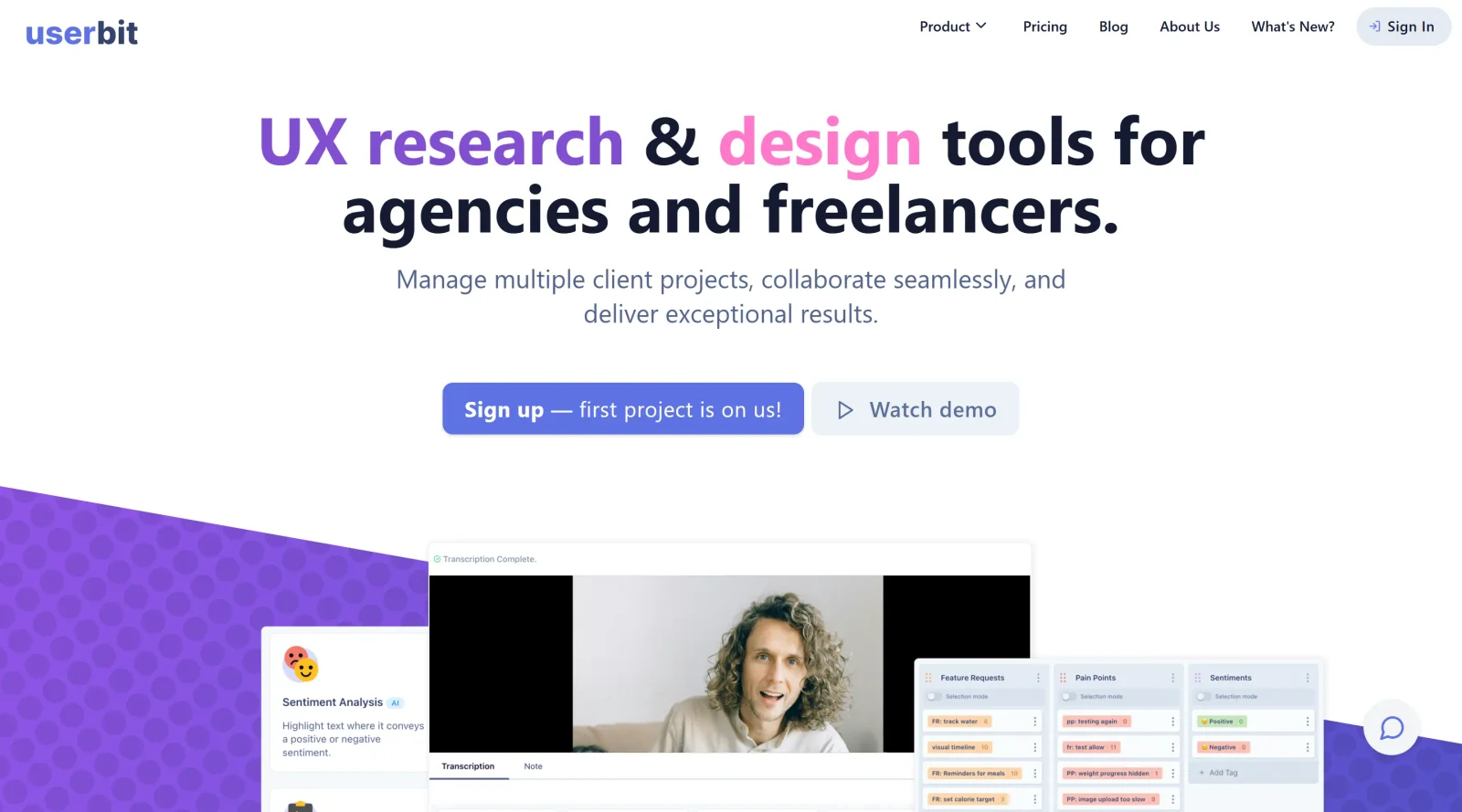
UserBit is a UX research platform that serves as a centralized repository for managing user research data. It enables UX and product teams to gather, organize, and analyze qualitative data from sources such as interviews, surveys, and notes. As a tool in the ux-tools category, UserBit fits into the design workflow during the discovery and research phases, where teams need to synthesize insights for informed product decisions. The platform operates on a freemium pricing model, offering free access to core features with paid upgrades for advanced capabilities.
What UserBit Does
- Provides a research repository to store and organize notes, participant data, interviews, and other UX research materials in a single location.
- Supports creation of user personas by attaching research insights, with options to auto-generate names, photos, and customizable data sections.
- Enables building of UX journey maps that incorporate research data, including images, notes, emotional graphs, and step-by-step user paths.
- Offers in-app transcription for converting audio and video files into text quickly.
- Includes tag management and analytics tools to identify patterns and trends across research data.
- Generates customizable case-study reports and insight cards that can be shared as mobile-optimized outputs.
How UserBit Can Be Used
- UX researchers conduct interviews, tag key quotes and observations, then synthesize findings into personas and journey maps for design handoff.
- Product teams import survey results and feedback, use automated analytics to spot patterns, and export reports for stakeholder reviews.
- Agencies manage multiple client projects by organizing data in separate workspaces, sharing read-only portals with unlimited viewers, and customizing outputs to match client branding.
- Freelance designers store session notes from usability tests, generate insights from tags, and create visual artifacts like site maps or user flows directly within the platform.
Who Is UserBit For?
UserBit suits UX researchers, product designers, and product managers who handle qualitative data across projects. It supports teams at agencies, startups, and freelance operations needing collaboration features like real-time editing and stakeholder sharing. Experience levels range from individual practitioners to mature teams requiring robust organization without complex setups. Those focused on end-to-end UX workflows—from data collection to artifact creation—find it applicable for maintaining a single source of research truth. Visit UserBit
Featured Tools
Sponsored
Artlist
Royalty-free music, SFX, 8K footage, templates, LUTs and 100+ AI models on a single subscription for video creators.

Icons8
Large icon packs featuring over 10,000 icons for consistent design themes.

Vidu
AI video generator with text, image and reference-to-video modes, producing 3–16 second clips at up to 1080p with characters that stay consistent across shots.
Your tool here
The tools above are our own picks until the slots sell.
Spotlight
SponsoredRotates daily
Animated Icons 2.0
Enhance your projects with 900+ animated icons.
Tools we recommend


Editorially chosen. Some links above are affiliate links — if you sign up we may earn a commission, at no extra cost to you.
More UX Tools Tools


Slicer.dev
Slicer audits entire websites and user flows, giving teams a structured way to review UI/UX at scale — then extracts any component it finds into ready-to-use AI prompts or React code.


2020 Ipsum
A Lorem Ipsum generator themed on unforgettable 2020 events.


Aaply
Wireframe mobile apps and create user-centered product experiences.


Avvvatars
Unique placeholder avatars tailored to your users.


Axure
Plan, wireframe, and prototype without any coding required.


Ballpark
Quick asynchronous product research for prototypes and designs.
Explore Other Categories
Discover more design resources
New to Design?
Explore our comprehensive design glossary to master essential terminology from A/B Testing to Wireframes.
Browse GlossaryLooking for something specific?
Search through our entire collection of design tools and resources