

Modern presentations designed for impactful, interactive storytelling.
What it costs
- Free tier
- Yes
Free tier ('Try for free') plus paid plans; catalog listed Beta and the /pricing page wasn't captured.
Auto-checked on 8 August 2026Source
About Chronicle
What Is Chronicle?
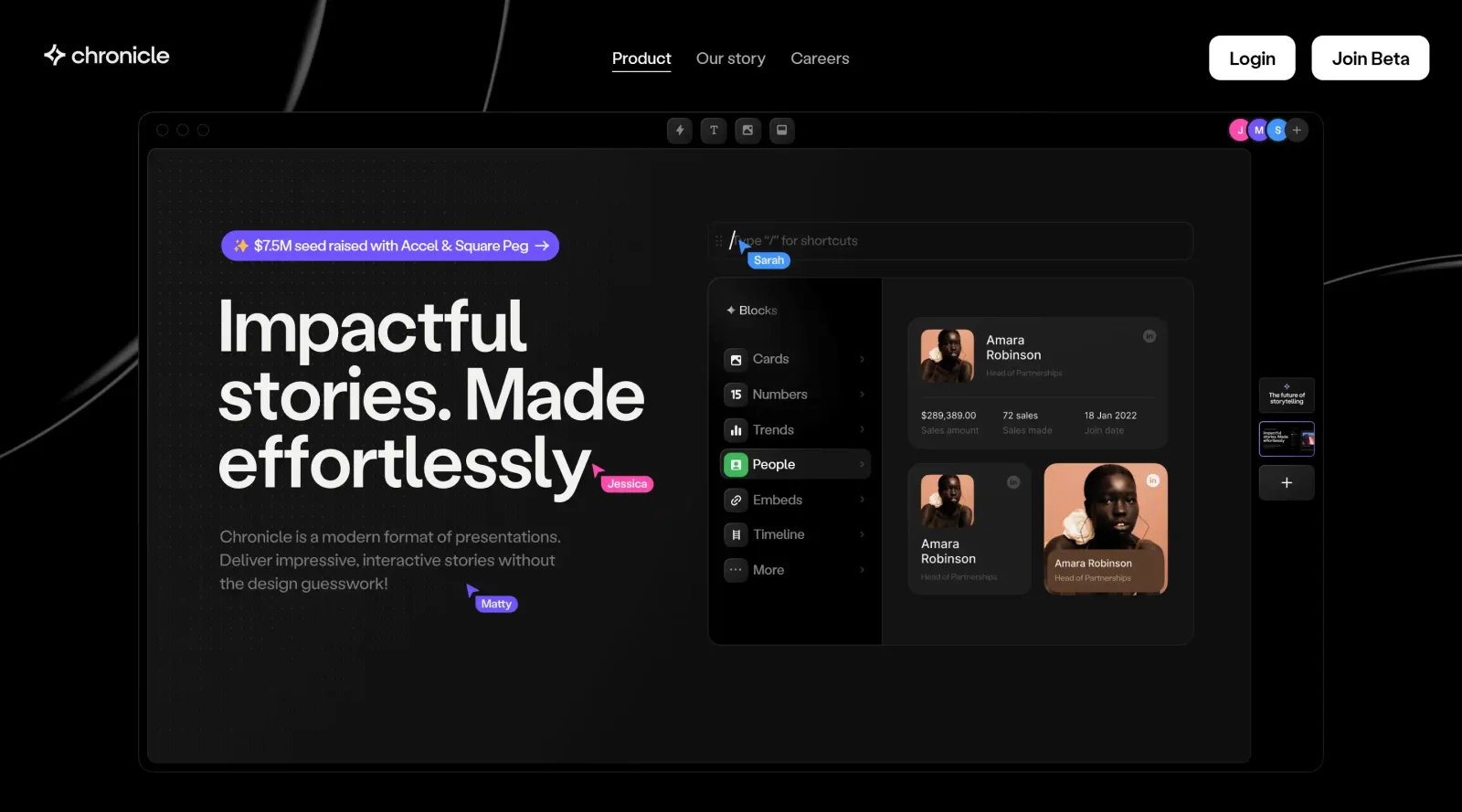
Chronicle is an AI-powered presentation tool in the designcategory that enables users to create interactive slide decks from text prompts, PDFs, or URLs. It fits into design workflows by automating the generation of visually structured presentations, allowing refinement through editing and customization. Currently available in public beta with free access, Chronicle supports unlimited decks during this phase, with planned pro tiers at $30/month for additional features like watermark removal and guest editing.
What Chronicle Does
- Generates draft presentations from user prompts, uploaded PDFs, or shared links using AI to structure content into slides.
- Provides customizable widgets including text elements, images, videos, icons, quotes, and sticky notes for building slide content.
- Supports real-time collaboration with multiple users editing simultaneously, shared cursors, and team workspaces.
- Offers keyboard-first workflows with shortcuts for dragging, dropping, and transforming widgets into layouts.
- Allows AI-assisted research with live progress tracking, source citations, and content remixing for enhanced slides.
- Includes templates, themes, branding options, and export formats like PDF, animated GIF, or shareable web links.
How Chronicle Can Be Used
- Designers prompt the AI with a pitch outline to produce a proposal deck, then adjust chapters, layouts, and visuals before presenting to clients.
- Teams import a sales document PDF, generate slides with embedded charts and videos, and collaborate in real-time during review sessions.
- Content creators paste bullet points into the tool, select creative or faithful AI modes, and remix sections with researched data for engaging keynotes.
- Marketers build mobile-optimized decks using widgets for interactive elements, add reactions or emotes, and publish links to track viewer engagement.
- Non-designers start with expert templates, snap elements into smart canvases, and export high-quality PDFs for in-person or online delivery.
Who Is Chronicle For?
Chronicle serves designers, content creators, marketers, and collaborative teams who need to produce interactive presentations without advanced design skills. It suits scenarios involving pitches, proposals, sales decks, and storytelling projects where quick generation, customization, and real-time editing streamline workflows for users at various experience levels. Professionals handling business narratives benefit from its AI research, widget-based building, and mobile formats. Visit Chronicle
Featured Tools
Sponsored
Artlist
Royalty-free music, SFX, 8K footage, templates, LUTs and 100+ AI models on a single subscription for video creators.

Icons8
Large icon packs featuring over 10,000 icons for consistent design themes.

Vidu
AI video generator with text, image and reference-to-video modes, producing 3–16 second clips at up to 1080p with characters that stay consistent across shots.
Your tool here
The tools above are our own picks until the slots sell.

Tools we recommend


getimg.ai
20+ AI models for image, video & audio in one workspace


OpenArt
All-in-one AI image, video & audio generator


YouCam Online Editor
Free online AI photo & video editor
Editorially chosen. Some links above are affiliate links — if you sign up we may earn a commission, at no extra cost to you.
More Design Tools Tools


Pryzm
Pryzm is a real-time studio for designers who need backgrounds that don't look like everyone else's. Layer procedural gradients, then stack glass, grain, light and blobs.


Modeinspect
Mode turns your product’s codebase into editable canvas frames. Refine real UI with visual controls, experiment with AI then share or hand off for review.


GoProd
Remove backgrounds and upscale images effectively.


Kittl
AI-first design platform with image, vector, and video generation, plus templates, mockups, and print-ready exports.


Lunacy
Free design software enhanced with AI tools and built-in graphics.


Smart Upscaler
Automatically improve image clarity using AI technology.
Explore Other Categories
Discover more design resources
New to Design?
Explore our comprehensive design glossary to master essential terminology from A/B Testing to Wireframes.
Browse GlossaryLooking for something specific?
Search through our entire collection of design tools and resources