
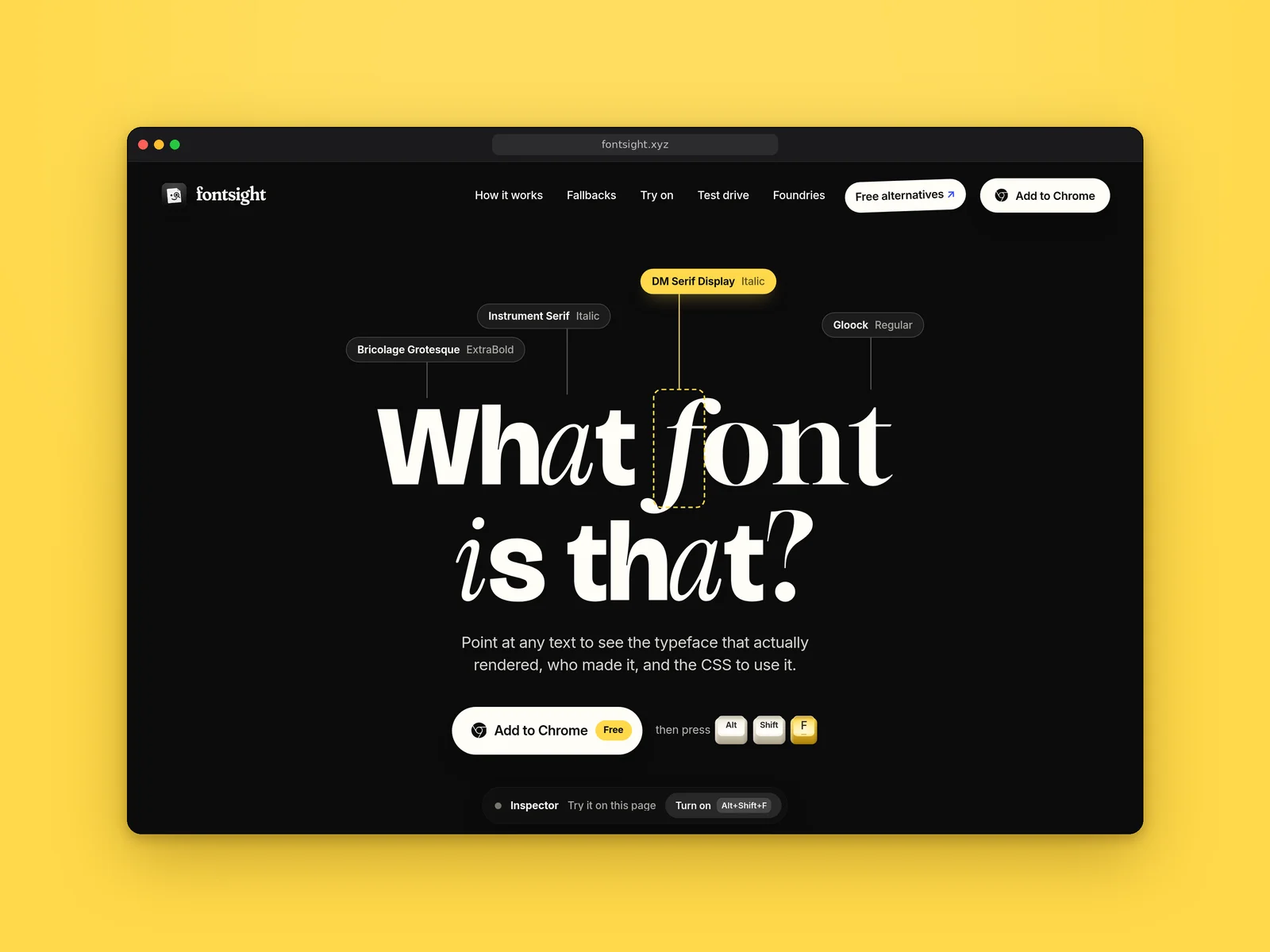
Fontsight is a free Chrome extension and type reference. See the font that actually rendered on any page, live-swap fonts, and find metric-matched free alternatives to paid typefaces.
What it costs
- Free tier
- Yes
Free with no account — "Fontsight is free, with no account to make." There is no pricing page and no paid tier anywhere on the site. It is a browser extension installed from the Chrome Web Store, working in Chrome, Brave and Edge (Edge needs "Allow extensions from other stores" enabled), and it is desktop-only. Published by Spoken Systems.
Auto-checked on 30 October 2026Source
About Fontsight
Fontsight: The Font That Actually Rendered, Not the One the CSS Asked For
Fontsight is a free browser extension that answers "what font is that?" — but it answers it more precisely than the question is usually asked. A CSS font stack lists several typefaces in order of preference and the browser draws with the first one it happens to have, so the font a designer specified and the font a visitor is actually reading are frequently different. Fontsight reports the one that won, crosses out the ones the browser skipped, names the foundry behind it, and hands you the CSS. Around that sits a live font-swapping tool, a library of free metric-matched alternatives to paid typefaces, and a specimen viewer built from the font files the page really loaded.
Key Features
- Identifies the rendered font — Point at any text for the typeface, weight, size, maker and CSS, with skipped fallbacks struck through.
- Catches rendering faults — Flags faux bold, glyphs borrowed from a fallback font, and near-miss sizes.
- Swaps fonts live — Re-set any page in a local font, a Google Font or your own file, then copy the CSS.
- 202 free alternatives — Metric-matched free look-alikes for paid typefaces, each checked by eye.
- Built-in foundry directory — 7,900+ families from 197 type houses plus 98 brands' in-house fonts.
- Opt-in per tab — Reads a page only when you invoke it by shortcut, icon or right-click.
Why "Which One Rendered" Is the Right Question
Most font identifiers read the CSS and tell you what was requested. That is often wrong in a way that matters: if the page asks for Söhne and the visitor's browser does not have it, they are reading Helvetica Neue or Arial instead, and the page you are auditing does not look the way you think it looks. Fontsight resolves the stack and shows you the winner — its own homepage demonstrates this on itself, declaring a Söhne-first stack and then telling you which font you are actually reading it in. The same resolution surfaces three faults that are easy to miss by eye. Faux bold, where the page never loaded a bold weight and the browser smears the regular instead. Borrowed glyphs, where a character the font lacks is quietly drawn by a different one. And near misses, where sizes that nearly match each other — 15, 15.5 and 16 pixels — get listed so you can tidy them up.
Trying Fonts On, Live
Pin a piece of text and press Swap, and Fontsight re-sets either that element or everything styled like it. The replacement can be a font the page already loaded, one installed on your own machine, any Google Font, or a font file of your own — useful when you are evaluating a licensed face before committing to it. You get size, weight, leading and tracking controls, holding Shift compares against the original, and Escape restores the page exactly as it was. The CSS for whatever you land on is copyable. It turns "I wonder how this would look in something else" into about fifteen seconds of work, on a real page with real content rather than a mockup.
The Free Alternatives Library
This is the part likely to get the most use. Fontsight has measured 202 paid typefaces and paired each with the closest free equivalent from Google Fonts, with the CSS written so the swap does not reflow your layout. The published pairs give a sense of the standard: Söhne to Inter at 86%, Proxima Nova to Figtree at 89%, Gotham to Clarity City at 87%, Circular to Outfit at 84%, Tiempos Text to Domine at 85%, Berkeley Mono to Fragment Mono at 83%. The matches are metric-based and, by their account, checked by eye rather than generated. Treat the percentages as a considered opinion rather than an auditable measurement — and as a way to hold a layout together on a budget, not as a reason to skip a licence you actually owe.
Specimens and the Rolodex
The test-drive panel builds a specimen from the font files the page loaded — every style, a waterfall of sizes from 12 to 64 pixels, your own words, and the full glyph set, with a paper-and-ink toggle and an export. Because it is drawn from the real files rather than a stored sample, it shows you what that site is genuinely shipping. Behind it is a directory the extension carries with it: 7,900+ families from 197 type houses, plus the in-house typefaces of 98 brands — the Netflix Sans and Airbnb Cereal class of font that normally sends you searching. Each entry is marked free, commercial or in-house and links to the family's own page, so identifying a font and finding out whether you can use it are the same step.
How to Use Fontsight
- Install it from the Chrome Web Store, in Chrome, Brave or Edge.
- On any page, press ⌥⇧F on a Mac or Alt+Shift+F elsewhere.
- Point at text to see the font that rendered; click to pin its card.
- Copy the CSS, or press Swap to try a different face on the live page.
- Check the free alternatives library if the font turns out to be a paid one.
Who It's For
- Designers auditing what a site actually renders rather than what it requests
- Developers chasing faux bold, fallback glyphs and inconsistent type sizes
- Anyone who needs a free stand-in for a paid typeface without breaking a layout
- People who want to try a typeface on a real page before licensing it
- Anyone who has spotted a brand's in-house font and wanted to know its name
Conclusion
Fontsight is a sharper tool than the usual "what font is that" extension, because it asks a better question and then keeps going. Resolving the stack to the font that actually rendered is the correct behaviour and the thing that makes its diagnostics possible; the live swapping, the specimen viewer and the foundry directory turn identification into something you can act on. It is free with no account, and it reads a tab only when you ask it to. The main limitation is reach: it is a Chrome-family extension on desktop, so Safari and Firefox users are out, and the alternatives library is a curated 202 rather than everything. Within that, it is hard to fault.
Featured Tools
Sponsored
Artlist
Royalty-free music, SFX, 8K footage, templates, LUTs and 100+ AI models on a single subscription for video creators.

Icons8
Large icon packs featuring over 10,000 icons for consistent design themes.

Vidu
AI video generator with text, image and reference-to-video modes, producing 3–16 second clips at up to 1080p with characters that stay consistent across shots.
Your tool here
The tools above are our own picks until the slots sell.
Spotlight
SponsoredRotates daily
Hailuo AI
AI video generator from MiniMax with cinematic, language-driven camera control.
Tools we recommend
Editorially chosen. Some links above are affiliate links — if you sign up we may earn a commission, at no extra cost to you.
More Typography Tools


ZnortDesigns
Explore your local font library, discover font pairings, and find curated typography resources and design deals in one designer-friendly tool.
FontsBy
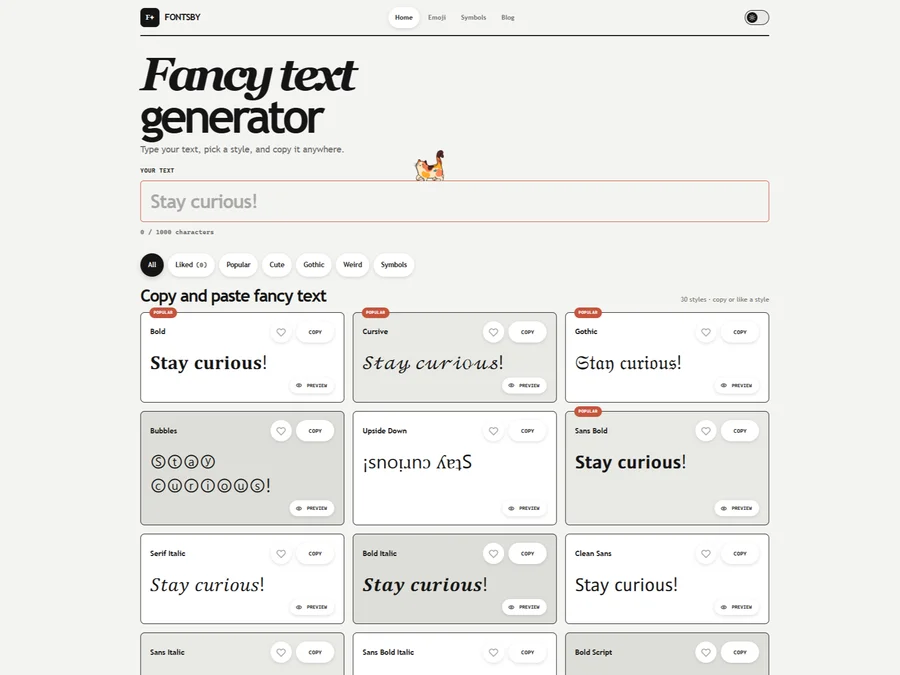
Fancy text generator for Instagram, Twitter, TikTok and Discord. Copy and paste bold, cursive and stylish Unicode fonts, symbols and emoji instantly for bios, usernames, names and social media posts.

FontPlop
Fontplop offers free font testing, conversion, and generation tools, plus stylish text generators for social media. Test glyphs, compare fonts, and convert font files privately in your browser.


205TF
French type foundry showcasing work from independent designers.


All Free Fonts
A selection of beautiful, free fonts curated for quality.


atipo
Digital foundry and design studio specializing in typefaces.
Explore Other Categories
Discover more design resources
New to Design?
Explore our comprehensive design glossary to master essential terminology from A/B Testing to Wireframes.
Browse GlossaryLooking for something specific?
Search through our entire collection of design tools and resources