

Explore your local font library, discover font pairings, and find curated typography resources and design deals in one designer-friendly tool.

What it costs
- Free tier
- Yes
Free to use — there is no paid ZnortDesigns plan on any page. The site is funded by affiliate links, which it discloses on the page. The "All Access" offer it promotes ($59.88/year instead of $348) is Creative Fabrica's subscription reached through an affiliate link, not ZnortDesigns' own pricing.
Auto-checked on 7 October 2026Source
About ZnortDesigns
ZnortDesigns: See Your Own Font Library, Gaps and All
ZnortDesigns is a free typography tool built around a simple question most font managers never ask: what is actually missing from the collection you already have? Connect your computer's font library once and the site reads it in the browser, sorts it by style, shows you where it is thin, and suggests pairings using the faces already sitting on your machine. It is run by a working designer, Kevin, as part of Znort Daily — a site that picks one design deal a day — so the gaps it finds tend to come with a suggestion for filling them.
Key Features
- Connect your installed fonts in one click — Uses the browser's Local Font Access permission, supported in Chrome, Edge, Brave and Arc.
- Gap report — Breaks your collection down by style — sans, serif, script, display and slab — so you can see at a glance which shelf is empty.
- Pairings from your own library — Suggests headline and body combinations built on fonts you already own, each with a short note on why the pair works.
- "Already yours" — Flags fonts in your collection that happen to be free or discounted right now anyway.
- Specimen book — Keeps a card for every asset you claim through the site: what it is, who made it, when you took it and under which licence.
- Browser-only parsing — Font files are never uploaded; on Chromium only family names and style counts are stored, and disconnecting deletes them.
How the Library Connection Works
The connect button asks for the browser's Local Font Access permission. The site is specific about what that means in practice: only the names are read, the files stay on your machine, and only family names and style counts are saved to your account — disconnect and those are deleted. If you are on Firefox or Safari, where that API is not available, you can drag .otf, .ttf or .woff files onto the page instead; they are parsed locally with opentype.js and, as the page puts it, nothing is uploaded. There is also a neat cross-device touch: sign in on your computer and your phone and the analysis follows you between them, which matters because the one-click connect only works on a desktop Chromium browser.
The Gap Report and Pairings
Once connected, three panels do the work. The gap report groups your families by style so an overstuffed sans shelf and an empty slab one become obvious. "Pairs with what you have" proposes headline and body combinations drawn from your own collection, each with a one-line explanation — the sample pairing reasons in terms of contrast and temperature rather than just asserting that two fonts look nice together. "Already yours" cross-references your library against what is currently free or cheap, which is a quietly useful way to notice you have been about to buy something you own. If you have not connected anything, a pairing roulette spins a random combination from the site's archive instead, always with one free or inexpensive half, so the page still does something useful on a first visit.
The Specimen Book
The specimen book answers a question every designer has asked themselves at least once: which licence came with that font from two years ago? Anything you claim through the site's links lands there as a card carrying the designer, the date and the licence, alongside running counts of how many items you have, their list value and what you actually paid. You can filter by claimed free, opened or bought, share the book, or export it as a PDF. It is worth being clear that this records what you take through ZnortDesigns itself, so it is a growing log rather than a complete archive of every font you have ever bought elsewhere.
Where the Deals Come In
The font tools sit on top of Znort Daily, which picks one design asset a day — often free for 24 hours — plus bundles, a seasonal radar and a Friday digest. The site is funded by affiliate links and says so plainly on the page: "The links I share are affiliate links; that's how the lights stay on. The opinions are mine." In practice the picks lean heavily on Creative Fabrica, so the deals and pairings draw from one marketplace's catalogue more than from the type world at large. That is worth knowing going in, though it does not change what the gap report tells you about your own collection.
How to Use ZnortDesigns
- Open the Fonts page in Chrome, Edge, Brave or Arc on a desktop.
- Click to connect your fonts, or drop font files instead if you are on Firefox or Safari.
- Read the gap report to see which styles your collection is light on.
- Check the suggested pairings and the "already yours" list before buying anything new.
- Sign in with a magic link if you want the specimen book to keep a record of what you claim.
Who It's For
- Designers with a large, messy, long-accumulated font collection they have never audited
- Anyone who keeps buying display faces and quietly has no decent slab or serif
- People who want pairing suggestions grounded in what they own rather than generic lists
- Designers who need to track which licence came with which font
- Deal hunters who want a daily free font pick alongside the analysis
Conclusion
ZnortDesigns is an unusually thoughtful free tool. The privacy model is the right way round — names in, files stay put — the gap report reframes a font collection as something you can actually assess, and the specimen book solves a licence-tracking problem most designers have simply learned to live with. The one-click connect needs a Chromium browser, and the deal side is affiliate-funded and Creative Fabrica-heavy, both of which the site is upfront about. Take it as a smart companion to a collection you are actively growing, and it earns its place in the bookmarks bar.
Featured Tools
Sponsored
Artlist
Royalty-free music, SFX, 8K footage, templates, LUTs and 100+ AI models on a single subscription for video creators.

Icons8
Large icon packs featuring over 10,000 icons for consistent design themes.

Vidu
AI video generator with text, image and reference-to-video modes, producing 3–16 second clips at up to 1080p with characters that stay consistent across shots.
Your tool here
The tools above are our own picks until the slots sell.

Tools we recommend
Editorially chosen. Some links above are affiliate links — if you sign up we may earn a commission, at no extra cost to you.
More Typography Tools

FontsBy
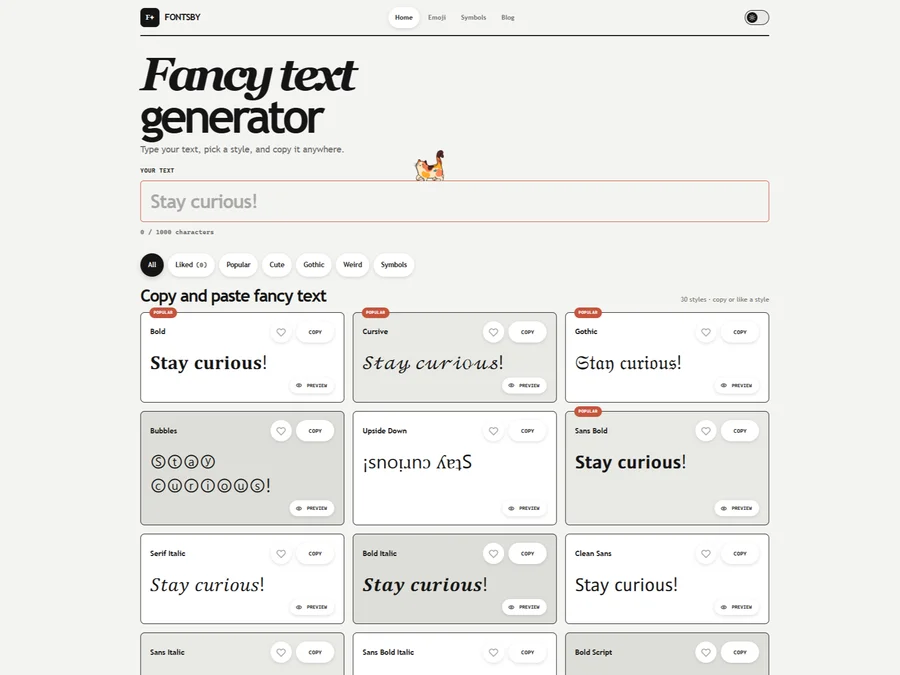
Fancy text generator for Instagram, Twitter, TikTok and Discord. Copy and paste bold, cursive and stylish Unicode fonts, symbols and emoji instantly for bios, usernames, names and social media posts.


205TF
French type foundry showcasing work from independent designers.


All Free Fonts
A selection of beautiful, free fonts curated for quality.


atipo
Digital foundry and design studio specializing in typefaces.


Beautiful Web Type
Guide to the best open-source typefaces.


Birdfont
Browser-based font editor for creating vector graphics.
Explore Other Categories
Discover more design resources
New to Design?
Explore our comprehensive design glossary to master essential terminology from A/B Testing to Wireframes.
Browse GlossaryLooking for something specific?
Search through our entire collection of design tools and resources