

What it costs
- Free tier
- Yes
Free, open-source browser animation editor supported via GitHub Sponsors; no paid plan.
Auto-checked on 8 August 2026Source
About Motionity
What Is Motionity?
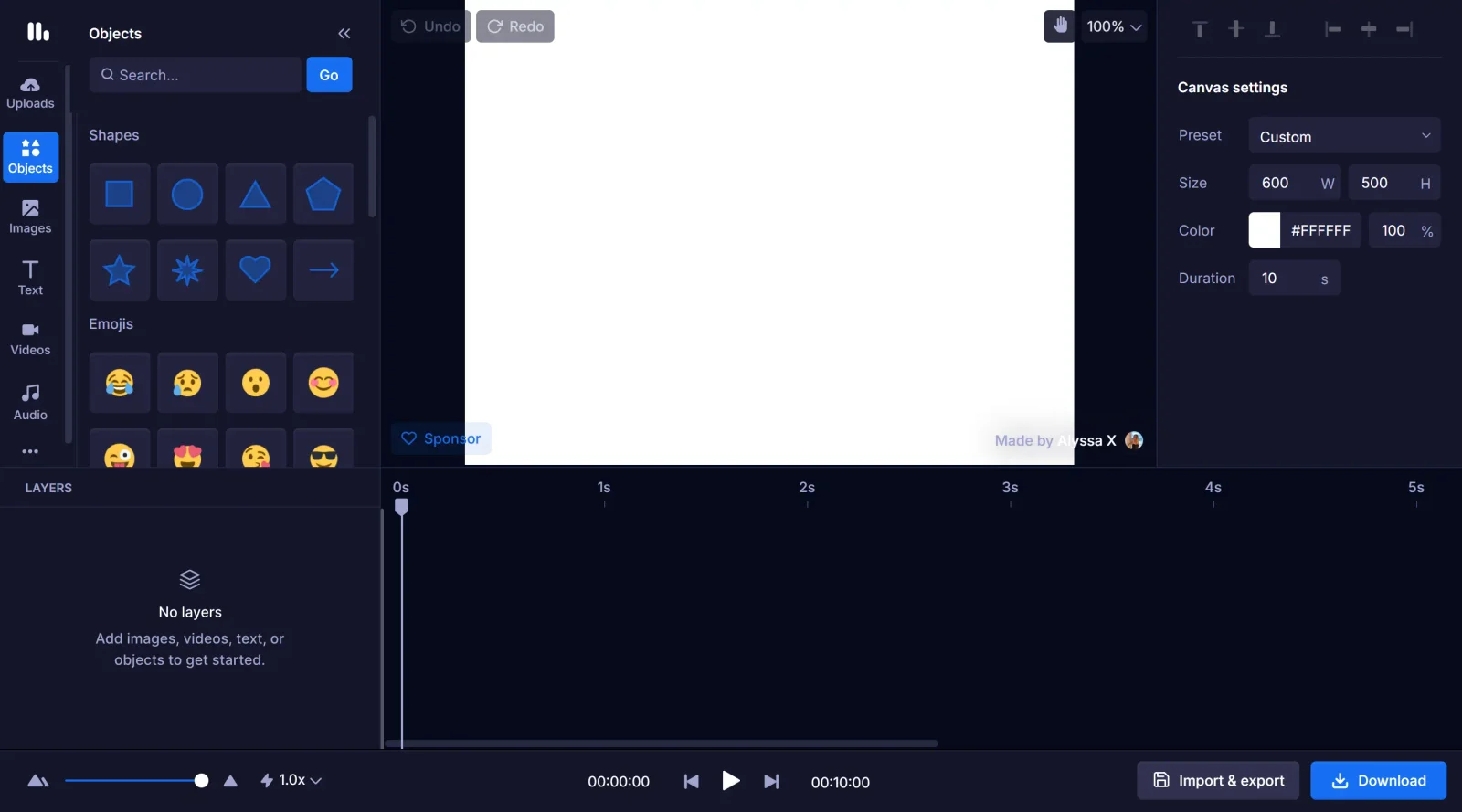
Motionity is a free, open-source web-based motion graphics editor designed for creating animations and videos directly in the browser. It combines elements of After Effects and Canva, providing access to keyframing, masking, and filters without requiring software installation or sign-in. As a **design tool** in the animation category, Motionity fits into design workflows where quick prototyping of motion graphics is needed, offering a no-cost entry point for users seeking browser-based editing capabilities.
What Motionity Does
- Supports keyframing with custom easing for precise animation control.
- Provides image and video filters, including adjustments, blur, and chroma key effects.
- Allows trimming and cutting of videos on a timeline.
- Enables layer masking to isolate and edit specific parts of compositions.
- Includes audio support for adding soundtracks to animations.
- Offers text animations such as typewriter, scale, and fade effects.
How Motionity Can Be Used
- Designers create short promotional videos by importing assets, applying keyframes to elements like text and shapes, and exporting in formats like Lottie for web use.
- Developers prototype UI animations by drawing shapes, adding motion with easing, and integrating Pixabay assets via drag-and-drop search.
- Teams collaborate on motion graphics projects using the timeline for layer management, video trimming, and filter application without local setup.
- Content creators build animated social media clips by combining video imports, masking, chroma key for greenscreen effects, and audio overlays.
Who Is Motionity For?
Motionity serves designers, developers, and content creators who need a lightweight, accessible tool for motion graphics without committing to desktop software. It suits beginners exploring animation through its Canva-like interface, as well as intermediate users leveraging After Effects-inspired features like keyframing and masking for web projects. Those working on quick video edits, Lottie exports, or asset-integrated animations find it practical for scenarios requiring no-cost, browser-only access. Visit Motionity
Motionity pros and cons
- Keyframes with custom easing, layer masking and chroma key in a free browser editor with no sign-in
- Canvas presets for social formats, from Instagram stories and YouTube videos to LinkedIn and Pinterest ads
- Built-in Pixabay search to drop stock images and videos straight onto the canvas
- Open source under the MIT license, so you can fork or modify it
- Imports Lottie animations alongside images, video and audio
- Downloads are WEBM, GIF or a still image only: no MP4, and Lottie is import-only
- No code has been pushed to its GitHub repository since September 2022
- Desktop only: the site tells mobile visitors they need a computer
- Projects save in your browser or as a local file, with no cloud sync or collaboration
Motionity is a free, open-source take on After Effects-style motion design that runs in a desktop browser. It suits designers and marketers who need a short animated social clip or GIF without installing software or creating an account, and who want real keyframes, easing and masking rather than preset animations. The trade-offs are output and upkeep. Video downloads as WEBM rather than MP4, Lottie files can be imported but not exported, and the code hasn't changed since 2022. If you need MP4 or Lottie export, team collaboration or an actively maintained tool, look at a paid browser animation app or desktop motion software.
Frequently asked questions
Is Motionity free?
Yes. Motionity is free and open source under the MIT license, and it needs no sign-in. The maker accepts support through GitHub Sponsors, but there is no paid plan.
What formats can Motionity export?
The download menu offers WEBM video, animated GIF or a still image. There is no MP4 option, and although you can upload Lottie files, you can't export to Lottie. Projects can be exported to a file and imported again later.
Does Motionity work on mobile?
No. The site tells mobile visitors that Motionity isn't optimized for mobile and that they need a computer to create animations.
Is Motionity still maintained?
The web app at motionity.app still loads, but its GitHub repository (alyssaxuu/motionity) has had no code pushed since September 2022.
Featured Tools
Sponsored
Artlist
Royalty-free music, SFX, 8K footage, templates, LUTs and 100+ AI models on a single subscription for video creators.

Icons8
Large icon packs featuring over 10,000 icons for consistent design themes.

Vidu
AI video generator with text, image and reference-to-video modes, producing 3–16 second clips at up to 1080p with characters that stay consistent across shots.
Your tool here
The tools above are our own picks until the slots sell.
Spotlight
SponsoredRotates daily
HyNote
Records and transcribes interviews and meetings, then turns them into summaries and action items.
Tools we recommend


getimg.ai
20+ AI models for image, video & audio in one workspace


OpenArt
All-in-one AI image, video & audio generator


YouCam Online Editor
Free online AI photo & video editor
Editorially chosen. Some links above are affiliate links — if you sign up we may earn a commission, at no extra cost to you.
More Design Tools Tools


Pryzm
Pryzm is a real-time studio for designers who need backgrounds that don't look like everyone else's. Layer procedural gradients, then stack glass, grain, light and blobs.


Modeinspect
Mode turns your product’s codebase into editable canvas frames. Refine real UI with visual controls, experiment with AI then share or hand off for review.


GoProd
Remove backgrounds and upscale images effectively.


Kittl
AI-first design platform with image, vector, and video generation, plus templates, mockups, and print-ready exports.


Lunacy
Free design software enhanced with AI tools and built-in graphics.


Smart Upscaler
Automatically improve image clarity using AI technology.
Explore Other Categories
Discover more design resources
New to Design?
Explore our comprehensive design glossary to master essential terminology from A/B Testing to Wireframes.
Browse GlossaryLooking for something specific?
Search through our entire collection of design tools and resources