

What it costs
- Free tier
- Yes
Login-gated generative design tool with no pricing shown on the page; appears to be an early/free product.
Auto-checked on 8 August 2026Source
About Shaper
What Is Shaper?
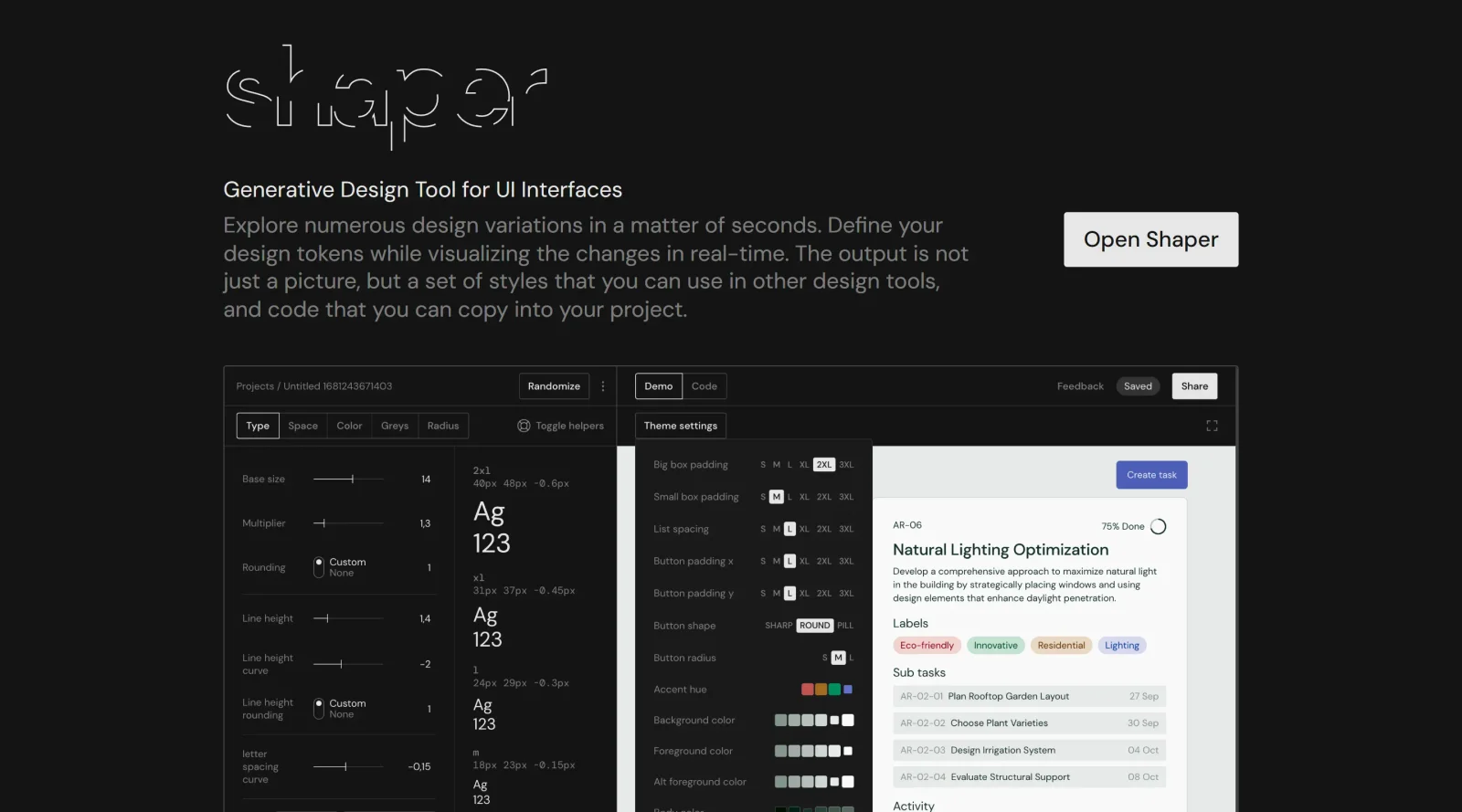
Shaper is a generative UI tool in the design-tools category that enables users to explore numerous design variations for user interfaces. It functions as a free web-based application where designers input parameters to generate multiple UI options rapidly. Shaper fits into early-stage design workflows, particularly during ideation and prototyping phases, by producing editable outputs compatible with other design tools and codebases.
What Shaper Does
- Generates multiple UI design variations from defined inputs in seconds.
- Allows definition of design tokens such as colors, spacing, and typography.
- Visualizes real-time changes to design tokens across generated variations.
- Outputs scalable styles usable in other design software like Figma or Sketch.
- Produces copy-paste code snippets for direct integration into development projects.
- Delivers results as structured style sets rather than static images.
How Shaper Can Be Used
- Designers start with a base UI concept and use Shaper to generate variations for A/B testing in app redesign projects.
- Teams define a design system by adjusting tokens in Shaper and exporting styles to maintain consistency across prototypes.
- Product managers prompt Shaper for quick UI mockups during sprint planning to validate ideas with stakeholders.
- Developers copy generated code into React or other frameworks to accelerate frontend implementation from approved designs.
- Freelance designers iterate on client briefs by exploring token-based variations before finalizing in primary tools.
Who Is Shaper For?
Shaper serves UI/UX designers, product designers, and front-end developers working on digital products like web and mobile applications. It suits teams or individuals at beginner to intermediate levels who need rapid exploration of design options without deep coding expertise. Shaper works well for projects requiring design system consistency, such as startup MVPs, app redesigns, or component libraries, where quick iteration on UI variations adds efficiency. Visit Shaper
Featured Tools
Sponsored
Artlist
Royalty-free music, SFX, 8K footage, templates, LUTs and 100+ AI models on a single subscription for video creators.

Icons8
Large icon packs featuring over 10,000 icons for consistent design themes.

Vidu
AI video generator with text, image and reference-to-video modes, producing 3–16 second clips at up to 1080p with characters that stay consistent across shots.
Your tool here
The tools above are our own picks until the slots sell.

Tools we recommend


getimg.ai
20+ AI models for image, video & audio in one workspace


OpenArt
All-in-one AI image, video & audio generator


YouCam Online Editor
Free online AI photo & video editor
Editorially chosen. Some links above are affiliate links — if you sign up we may earn a commission, at no extra cost to you.
More Design Tools Tools


Pryzm
Pryzm is a real-time studio for designers who need backgrounds that don't look like everyone else's. Layer procedural gradients, then stack glass, grain, light and blobs.


Modeinspect
Mode turns your product’s codebase into editable canvas frames. Refine real UI with visual controls, experiment with AI then share or hand off for review.


GoProd
Remove backgrounds and upscale images effectively.


Kittl
AI-first design platform with image, vector, and video generation, plus templates, mockups, and print-ready exports.


Lunacy
Free design software enhanced with AI tools and built-in graphics.


Smart Upscaler
Automatically improve image clarity using AI technology.
Explore Other Categories
Discover more design resources
New to Design?
Explore our comprehensive design glossary to master essential terminology from A/B Testing to Wireframes.
Browse GlossaryLooking for something specific?
Search through our entire collection of design tools and resources