

Extract and utilize design tokens from websites in your projects.
What it costs
- Free tier
- Yes
Free desktop app (Mac/Windows/Linux) that will remain free; a paid design-system generator extension is planned but not yet priced.
Auto-checked on 8 August 2026Source
About Superposition
What Is Superposition?
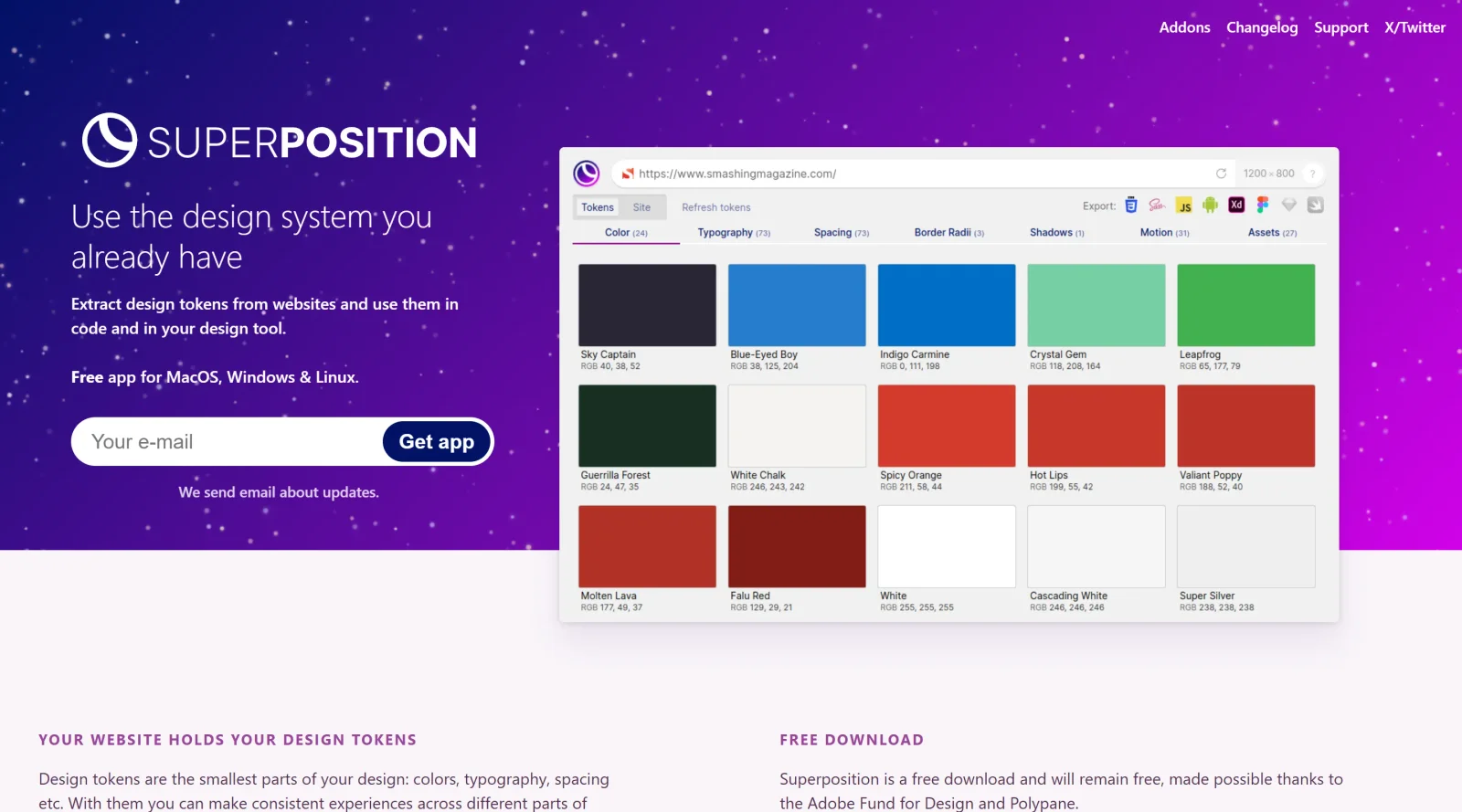
Superposition is a free design tokens extraction tool available for macOS, Windows, and Linux. It bridges the gap between existing websites and design systems by automatically extracting design tokens—the foundational elements like colors, typography, spacing, border radius, and shadows—from live websites and converting them into usable formats for design and development workflows. Rather than building design tokens from scratch, Superposition leverages the design decisions already embedded in your production code, making it a practical tool for teams looking to formalize and share design systems with consistency.
What Superposition Does
- Extracts design tokens directly from websites, identifying colors, fonts, spacing, shadows, and motion properties
- Exports tokens to multiple formats including CSS, SCSS, JavaScript, and JSON for flexible integration across projects
- Integrates with design tools through plugins for Adobe XD, with Sketch, Figma, Swift, and Android exports in development
- Displays organized token categories with clickable values for easy copying and clipboard access
- Allows manual creation and documentation of design tokens and components with usage instructions
- Generates shareable, beautifully documented design systems ready for team or client distribution
How Superposition Can Be Used
Superposition serves several practical workflows in design and development. Teams can accelerate design system creation by extracting tokens from existing production websites rather than starting from zero, immediately establishing consistency across colors, fonts, and spacing. Designers working in Adobe XD can apply extracted tokens directly through the plugin, ensuring alignment between code and design files. Development teams can export tokens as CSS or JavaScript variables for immediate use in codebases. It also helps teams audit and formalize inconsistent design decisions scattered across a website by centralizing them into a structured token library.
Who Is Superposition For?
Superposition is best suited for design teams, developers, and product organizations looking to establish or document design systems without building tokens from scratch. It works well for teams with existing websites or applications who want to extract and standardize their current design decisions. Design system maintainers, UX designers collaborating with developers, and agencies creating design systems for clients will find value in its extraction and export capabilities. The tool is particularly useful for teams already using design tokens but lacking a centralized extraction process, or those starting a design system initiative and seeking to leverage their production code as the source of truth. Visit Superposition
Featured Tools
Sponsored
Artlist
Royalty-free music, SFX, 8K footage, templates, LUTs and 100+ AI models on a single subscription for video creators.

Icons8
Large icon packs featuring over 10,000 icons for consistent design themes.

Vidu
AI video generator with text, image and reference-to-video modes, producing 3–16 second clips at up to 1080p with characters that stay consistent across shots.
Your tool here
The tools above are our own picks until the slots sell.

Tools we recommend


getimg.ai
20+ AI models for image, video & audio in one workspace


OpenArt
All-in-one AI image, video & audio generator


YouCam Online Editor
Free online AI photo & video editor
Editorially chosen. Some links above are affiliate links — if you sign up we may earn a commission, at no extra cost to you.
More Design Tools Tools


Pryzm
Pryzm is a real-time studio for designers who need backgrounds that don't look like everyone else's. Layer procedural gradients, then stack glass, grain, light and blobs.


Modeinspect
Mode turns your product’s codebase into editable canvas frames. Refine real UI with visual controls, experiment with AI then share or hand off for review.


GoProd
Remove backgrounds and upscale images effectively.


Kittl
AI-first design platform with image, vector, and video generation, plus templates, mockups, and print-ready exports.


Lunacy
Free design software enhanced with AI tools and built-in graphics.


Smart Upscaler
Automatically improve image clarity using AI technology.
Explore Other Categories
Discover more design resources
New to Design?
Explore our comprehensive design glossary to master essential terminology from A/B Testing to Wireframes.
Browse GlossaryLooking for something specific?
Search through our entire collection of design tools and resources