
TattooJinn is an AI tattoo generator that turns your ideas and reference photos into custom tattoo designs in seconds.
What it costs
- Free tier
- Yes
- Paid plans from
- $19/mo
The free tier is a ONE-TIME allowance, not a monthly refresh: guests get 3 generations and see only 1 of the 4 designs each time; a free account unlocks all 4 and gives 50 generations in total. Every generate or regenerate across every tool (generator, stencil, cover-up, filler, try-on, visit planner) draws on that same pool. Pro is $19/month after a 3-day trial that requires a card up front, and adds unlimited generations plus full-resolution downloads — free accounts can only view results in-app. No tax is added at checkout; payments are non-refundable except where consumer-protection law requires.
Auto-checked on 21 October 2026Source
About TattooJinn
TattooJinn: Turn a Half-Formed Tattoo Idea Into Something You Can Show an Artist
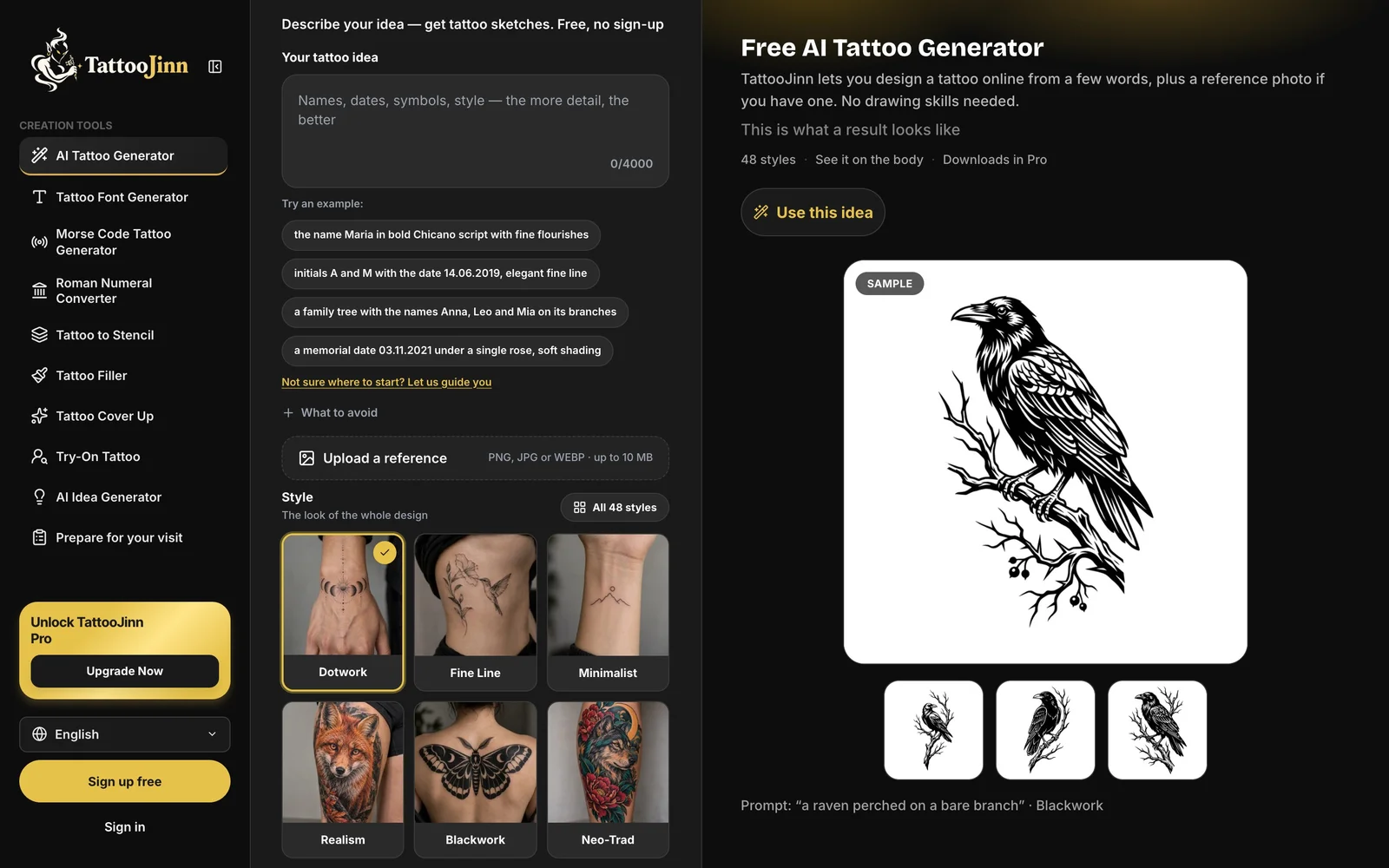
TattooJinn is an AI tattoo design generator built around the awkward stage before a tattoo exists: you know roughly what you want, you cannot draw it, and describing it out loud to an artist is harder than it sounds. You type the idea the way you would text a friend, pick from 48 styles and a body placement, and get four designs back to compare. It runs in a browser with no sign-up for the first few tries, and the site is refreshingly clear that what you get is a first draft to take to a tattooist, not a finished piece.
Key Features
- Plain-language prompts — Describe the subject and a detail or two; a "what to avoid" field keeps unwanted elements out.
- 48 tattoo styles — Fine line, blackwork, Japanese, dotwork, realism, Chicano, trash polka, mandala and many more, each with a visual preview.
- Four designs per generation — Compare a set rather than accepting the first result.
- Body preview — Each design is shown on a photo of the placement you chose, so you can judge how it sits.
- Reference images — Upload a photo or sketch (PNG, JPG or WEBP, up to 10 MB) to steer the look.
- A suite, not one tool — Stencil conversion, cover-up, gap filler, try-on, lettering, Morse code and Roman numerals.
How the Generator Works
The input is a text box and three dropdowns, which is the right amount of interface for this job. You describe the tattoo — "a small snake wrapped around a rose, with thorns" is the site's own example — then set the style, the placement, the size and whether you want black and grey or colour. There is a separate field for what you do not want, which is more useful than it sounds once you have seen a generator add wings to something that should not have them. A reference image is optional and treated as inspiration rather than a source to copy. Each run returns four designs plus a preview of one of them on the body part you selected, and the site encourages trying the same idea in two or three styles, because a wolf in fine line and the same wolf in blackwork are genuinely different tattoos.
The Other Tools
The tattoo generator is the front door, but the surrounding tools are where the suite earns its keep for anyone actually planning a piece. Tattoo to Stencil turns a design into clean printable line art. Tattoo Filler works on the gaps between existing pieces and Cover Up on old ink you want reworked, both starting from a photo of your skin. Try-On puts a design onto a photo of your own body rather than a stock arm. There is a lettering generator for names, dates and quotes, a Morse code generator and a Roman numeral converter for the date tattoos that need them, an idea generator for when you only know what the tattoo should mean, and a short guide to preparing for a studio visit. Reference pages for styles and placement round it out.
What It Costs
The free tier is a one-time allowance rather than a monthly one, which is the detail most worth understanding before you start. As a guest you get three generations and see one of the four designs each time. A free account unlocks all four designs — including on the sets you already made — and gives you fifty generations in total. Every generate or regenerate across every tool draws on that same pool, so trying one idea across three placements costs three. Pro removes the limit and adds full-resolution downloads, which free accounts do not get at all; without it you can view a design but not save the file. It is $19 a month after a three-day trial that requires a card up front, with no tax added at checkout, cancellable from the billing portal, and non-refundable once charged except where consumer-protection law says otherwise.
It Knows What It Is
The thing that makes TattooJinn easier to recommend than most AI generators in this space is that it does not oversell itself. The site says plainly that a generated design is a first draft, that you should show your favourite to a tattoo artist, and that they will size it, adapt the flow to your body and draw the real stencil. It positions itself as something you bring to a consultation so you can point at an image and say "more like this" instead of describing a picture in your head to a stranger holding a needle. For a category full of tools implying you can skip the professional entirely, that framing is worth something — and it is also the realistic use case, since a tattoo has to work on a curved, moving surface in a way a flat AI render cannot know about.
How to Use TattooJinn
- Describe your idea in plain words, and add anything you want to avoid.
- Pick a style, a placement, a size and a colour treatment.
- Upload a reference photo or sketch if you have one.
- Generate, then compare the four designs and the body preview.
- Change one thing at a time — style, placement or a detail — and run it again.
- Take your favourite to a tattoo artist as a starting point.
Who It's For
- Anyone planning a first tattoo who wants to see options before booking a consultation
- People adding to existing work who need a cover-up or gap-filler direction
- Anyone who can describe what they want but cannot draw it
- People who want a name, date or quote set in tattoo lettering
- Tattoo artists who want a quick visual starting point to react to with a client
Conclusion
TattooJinn is a well-built tool for a specific and genuinely awkward moment: having a tattoo idea you cannot articulate. The 48 styles, the body previews and the stencil, cover-up and try-on tools make it more than a prompt box, and the free tier is enough to find out whether it works for you without entering a card. Watch the allowance, since it is a total rather than a monthly refresh and regenerations count against it, and remember that saving a file requires Pro at $19 a month. Treat the output the way the site tells you to — as a draft for your artist — and it does a useful job.
Featured Tools
Sponsored
Artlist
Royalty-free music, SFX, 8K footage, templates, LUTs and 100+ AI models on a single subscription for video creators.

Icons8
Large icon packs featuring over 10,000 icons for consistent design themes.

Vidu
AI video generator with text, image and reference-to-video modes, producing 3–16 second clips at up to 1080p with characters that stay consistent across shots.
Your tool here
The tools above are our own picks until the slots sell.
Spotlight
SponsoredRotates daily
Animated Icons 2.0
Enhance your projects with 900+ animated icons.
Tools we recommend


getimg.ai
20+ AI models for image, video & audio in one workspace


Hailuo AI
Cinematic AI video with camera control


OpenArt
All-in-one AI image, video & audio generator
Editorially chosen. Some links above are affiliate links — if you sign up we may earn a commission, at no extra cost to you.
More AI Tools Tools


Vidu
AI video generator with text, image and reference-to-video modes, producing 3–16 second clips at up to 1080p with characters that stay consistent across shots.
AI Boilerplate
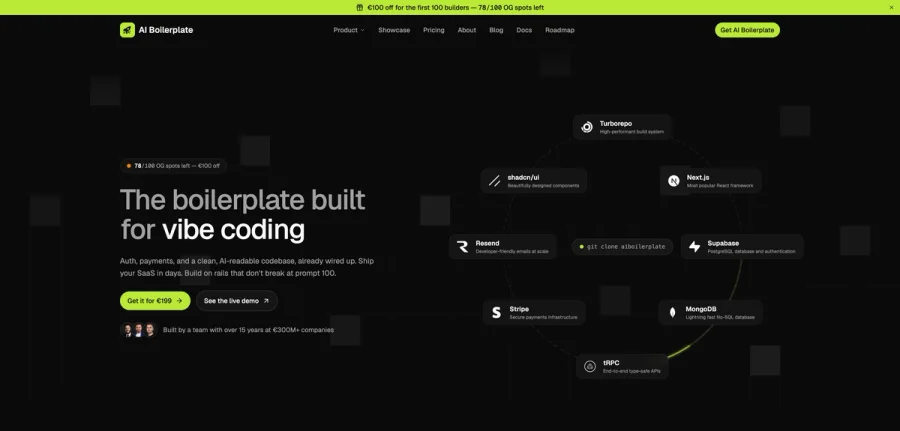
The boilerplate built for vibe coding. Includes authentication, payments, storage, and a clean, AI-readable codebase, already wired up. Build on rails that don't break at prompt 100.

PromptCreek
Prompt Creek is a free community-driven repository featuring thousands of AI prompts. Discover, bookmark, and share quality prompts for ChatGPT, Claude, and other AI tools.

Vatis Tech
Vatis Tech is the most powerful speech-to-text infrastructure. It can be used to transcribe user interviews and client meetings.


DomoAI
AI animation platform that turns text, images, and video into anime, realistic, and custom styles — with video restyle, lip sync, upscaling, and more.
Meshy
AI 3D model generator that turns text or images into game- and print-ready models.
Explore Other Categories
Discover more design resources
New to Design?
Explore our comprehensive design glossary to master essential terminology from A/B Testing to Wireframes.
Browse GlossaryLooking for something specific?
Search through our entire collection of design tools and resources