
What happened to Unfake.png
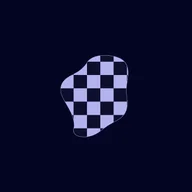
Unfake.png turned “fake” PNGs with a baked-in checkerboard background into real transparent images. It stopped working at the end of 2023: unfakepng.com has redirected away since December 2023 and now forwards to a sale page for an unrelated domain.
What it costs
- Free tier
- No
The domain unfakepng.com is parked and listed for sale on Atom.com (a $495,000 domain-sale landing page) — the tool appears defunct.
Auto-checked on 8 August 2026Source
About Unfake.png
What Is Unfake.png?
Unfake.png is a free design tool in the image processing category that converts fake .png images into authentic background-less .png files. Developed by Gaspard+Bruno and powered by VISIO Studio, Unfake.png addresses a common issue in design workflows where images exported with simulated transparency grids—often called fake .png files—need to be transformed into true transparent PNGs. Designers and developers use Unfake.png to ensure images have genuine alpha channels without manual editing in software like Photoshop or GIMP, fitting seamlessly into preparation stages for web graphics, UI elements, and presentations.
What Unfake.png Does
- Converts fake .png images featuring transparency grids into true background-less .png files using AI technology.
- Automatically detects and removes simulated transparency patterns from uploaded images.
- Supports drag-and-drop uploads for quick processing of image files.
- Provides instant download of the transformed transparent PNG output.
- Handles large files up to 200MB for professional-grade image workflows.
- Integrates as a plugin for Figma and a Chrome extension to streamline browser-based tasks.
How Unfake.png Can Be Used
- Graphic designers upload screenshots or exported assets with fake transparency grids from design tools to obtain clean PNGs for client mockups.
- Web developers process icons and logos downloaded from stock libraries, removing artificial checkerboard backgrounds before integrating into websites.
- UI/UX creators in Figma workflows use the Unfake.png plugin to fix transparency issues directly within their design files during prototyping.
- Content creators convert social media graphics or app assets on mobile devices via Android or iOS compatibility for immediate sharing.
- Teams preparing presentation visuals batch-process images to ensure consistent true transparency across slides and marketing materials.
Who Is Unfake.png For?
Unfake.png serves graphic designers, UI/UX professionals, web developers, and digital artists who frequently handle PNG images with simulated transparency. It suits beginners encountering fake .png exports from basic tools as well as experienced users in fast-paced agencies needing efficient cleanup without advanced editing software. Project types include web and app design, digital marketing assets, and print-to-digital conversions where authentic transparency is required. Visit Unfake.png
Featured Tools
Sponsored
Artlist
Royalty-free music, SFX, 8K footage, templates, LUTs and 100+ AI models on a single subscription for video creators.

Icons8
Large icon packs featuring over 10,000 icons for consistent design themes.

Vidu
AI video generator with text, image and reference-to-video modes, producing 3–16 second clips at up to 1080p with characters that stay consistent across shots.
Your tool here
The tools above are our own picks until the slots sell.
Spotlight
SponsoredRotates daily
HyNote
Records and transcribes interviews and meetings, then turns them into summaries and action items.
Tools we recommend


getimg.ai
20+ AI models for image, video & audio in one workspace


OpenArt
All-in-one AI image, video & audio generator


YouCam Online Editor
Free online AI photo & video editor
Editorially chosen. Some links above are affiliate links — if you sign up we may earn a commission, at no extra cost to you.
More Design Tools Tools


Pryzm
Pryzm is a real-time studio for designers who need backgrounds that don't look like everyone else's. Layer procedural gradients, then stack glass, grain, light and blobs.


Modeinspect
Mode turns your product’s codebase into editable canvas frames. Refine real UI with visual controls, experiment with AI then share or hand off for review.


GoProd
Remove backgrounds and upscale images effectively.


Kittl
AI-first design platform with image, vector, and video generation, plus templates, mockups, and print-ready exports.


Lunacy
Free design software enhanced with AI tools and built-in graphics.


Smart Upscaler
Automatically improve image clarity using AI technology.
Explore Other Categories
Discover more design resources
New to Design?
Explore our comprehensive design glossary to master essential terminology from A/B Testing to Wireframes.
Browse GlossaryLooking for something specific?
Search through our entire collection of design tools and resources