
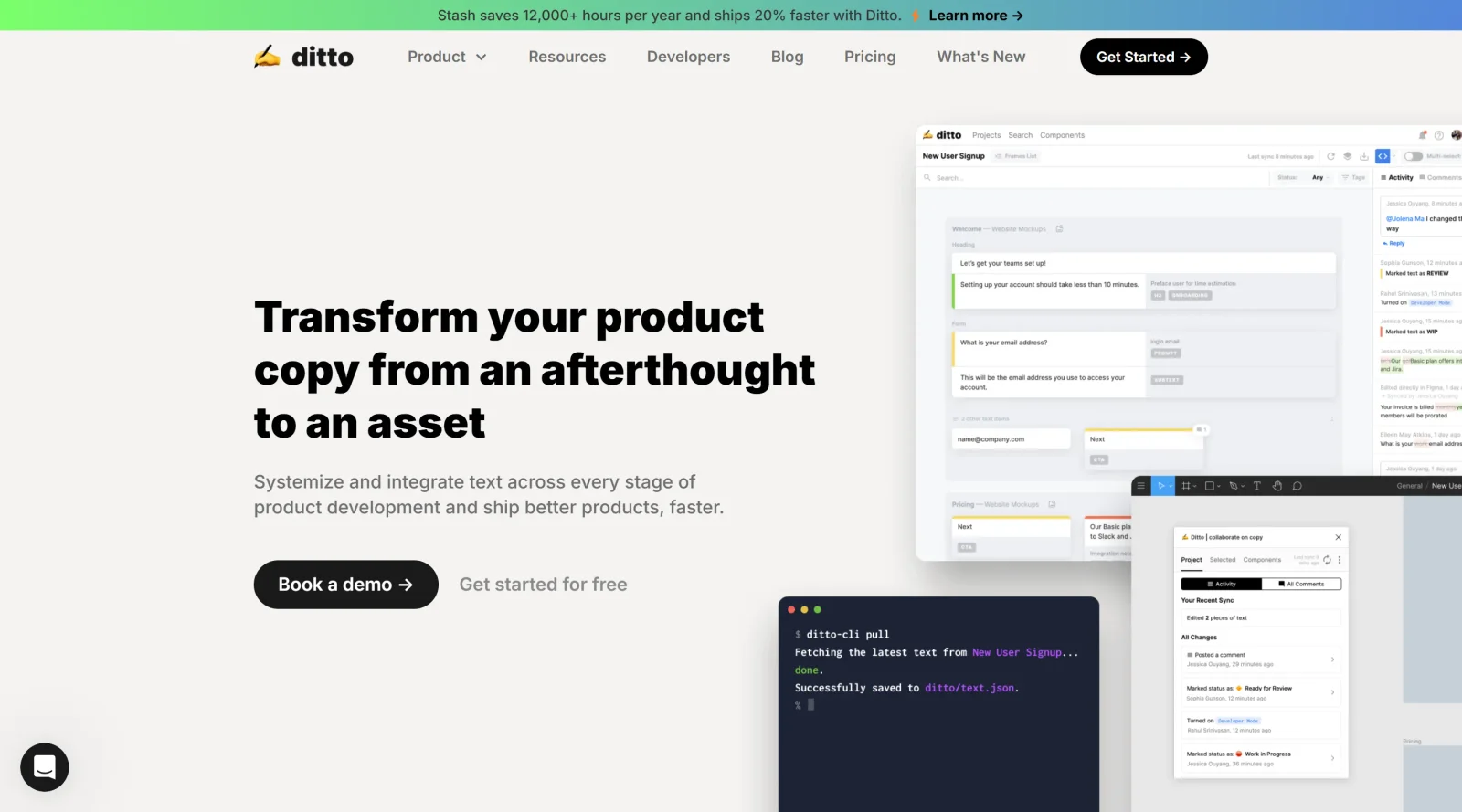
Collaborate on text content from design phase to final production.
What it costs
- Free tier
- Yes
'Get Started Free' plus an Enterprise tier; actual plan prices are on the separate /pricing page (not captured).
Auto-checked on 8 August 2026Source
About Ditto
What Is Ditto?
Ditto is a design tool in the **Design** category that manages product text across teams, serving as a single source of truth from draft through design to development. It operates on a freemium pricing model, allowing basic access for free with premium features available via subscription. Ditto integrates into design workflows via its web app and Figma plugin, enabling designers to capture, edit, and organize text strings directly within Figma files. For developers, Ditto provides infrastructure to handle string keys, localization, and formatted exports, ensuring text consistency across project stages.
What Ditto Does
- Links text items in Figma designs to reusable components in Ditto projects, updating all linked instances when edits occur.
- Manages text metadata including status, notes, tags, and activity logs to track changes and reviews.
- Supports variable interpolation, pluralization, and platform-specific formatting for strings in JSON, ICU, iOS, Android, and other formats.
- Generates localization-ready files using variants for different languages and locales, with options for in-house translation or API integrations.
- Provides developer tools like API for fetching text, CLI for local updates, and webhooks for event-based automation in CI pipelines.
- Exports copy to spreadsheets, JSON, or CSV directly from the app or via API for handoff to development.
How Ditto Can Be Used
- Designers link common UI text like buttons ("Back," "Next") to Ditto components in Figma, enabling bulk updates across multiple files by editing once.
- Teams search for text by terms like "CTA" or "button" to locate and review instances, then apply status changes such as "in review" globally.
- Content creators add notes, alternatives, or character limits to text items in the Figma plugin, syncing changes bidirectionally to the Ditto web app.
- Developers use the CLI in pipelines to pull formatted strings or webhooks to automate updates when text status changes in Ditto.
- Workflows integrate Ditto with design systems by mapping text components to visual components, maintaining consistency from prototype to production.
Who Is Ditto For?
Ditto serves UX writers, designers, and developers working on product copy management in collaborative teams. It fits roles involved in creating reusable text libraries for Figma-based workflows, handling localization, or automating string handoff to code. Experience levels range from individual designers needing text organization to larger teams requiring developer integrations for scalable consistency. Projects with frequent text iterations, multi-language support, or design-to-development pipelines benefit from Ditto's component-based approach.Visit Ditto
Featured Tools
Sponsored
Artlist
Royalty-free music, SFX, 8K footage, templates, LUTs and 100+ AI models on a single subscription for video creators.

Icons8
Large icon packs featuring over 10,000 icons for consistent design themes.

Vidu
AI video generator with text, image and reference-to-video modes, producing 3–16 second clips at up to 1080p with characters that stay consistent across shots.
Your tool here
The tools above are our own picks until the slots sell.
Spotlight
SponsoredRotates daily
Animated Icons 2.0
Enhance your projects with 900+ animated icons.
More Project Management Tools


Air
Experience visual browsing with powerful search, secure sharing, and smooth collaboration.


Asana
Manage projects and adapt to changing priorities in remote work settings.


Basecamp
Comprehensive toolkit for effective remote working.


Bubbles
Initiate discussions by commenting on any on-screen content.


Campsite
A dedicated space for design teams to manage work-in-progress.


Canva Whiteboards
Canva Whiteboards for creative brainstorming and teamwork.
Explore Other Categories
Discover more design resources
New to Design?
Explore our comprehensive design glossary to master essential terminology from A/B Testing to Wireframes.
Browse GlossaryLooking for something specific?
Search through our entire collection of design tools and resources