

Visually determine time differences with a Time Zone Converter.
What it costs
- Free tier
- Yes
Core time-zone timeline is free; Meetings Pro / People Pro paid upgrades exist but no prices are shown.
Auto-checked on 8 August 2026Source
About Every Time Zone
What Is Every Time Zone?
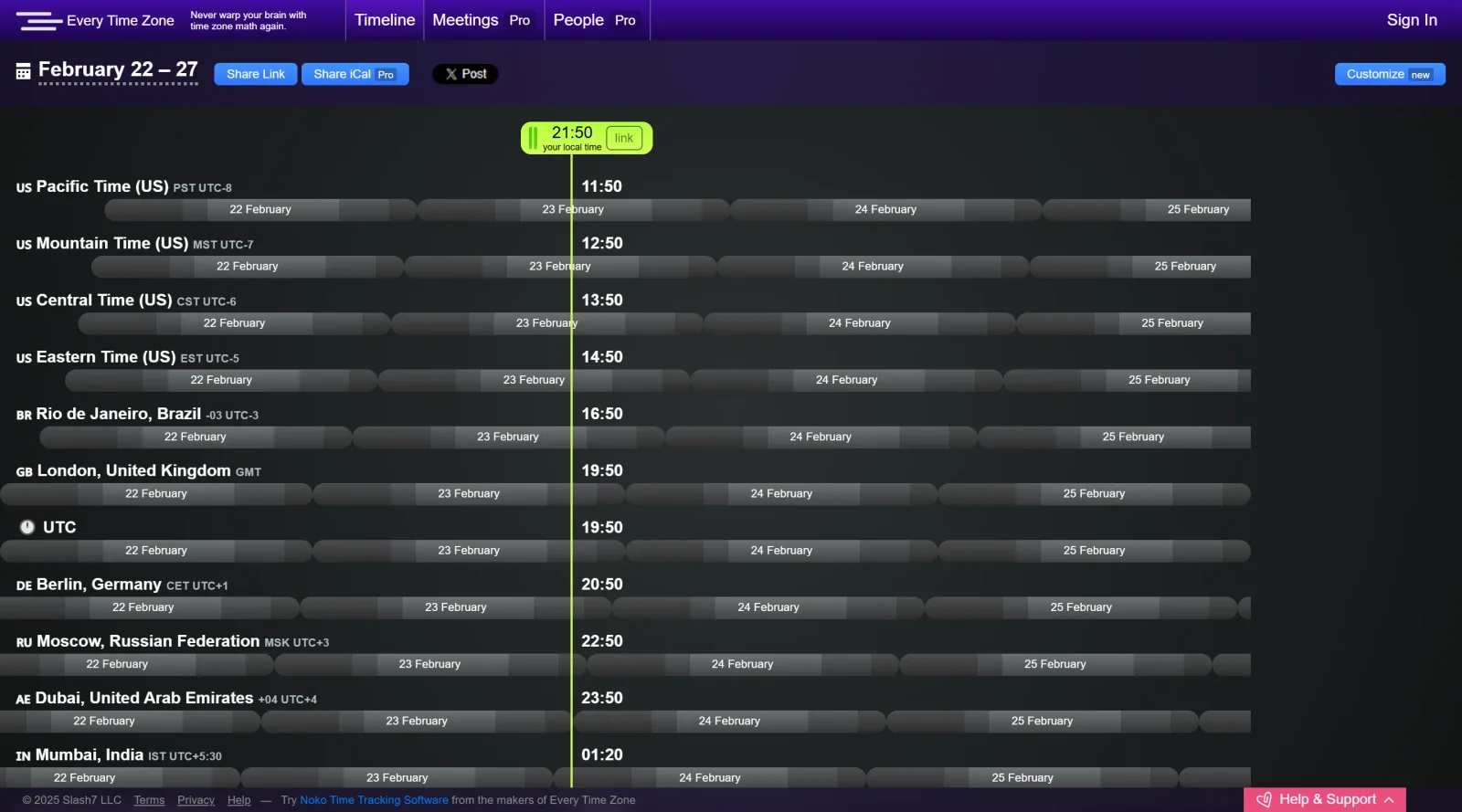
Every Time Zone is a free web-based time zone converter tool in the Design category. It provides a visual interface for comparing times across multiple time zones worldwide. The tool displays a horizontal timeline chart with the current time highlighted, allowing users to drag a tab to explore time differences interactively. Every Time Zone fits into design workflows where coordinating schedules across regions is necessary, such as planning global team meetings or aligning project timelines in UI/UX design projects involving international collaborators.
What Every Time Zone Does
- Shows current times across numerous time zones on an interactive timeline chart.
- Allows dragging a green tab to highlight specific times and visualize overlaps between zones.
- Automatically adjusts time zone labels as the timeline moves, switching sides for clarity.
- Supports viewing standard offsets like GMT-08:00 Pacific Time and GMT+01:00 Central European Time.
- Enables copying and sharing links to specific time zone comparisons.
- Maintains a minimal ad presence while prioritizing the core visualization functionality.
How Every Time Zone Can Be Used
- Designers schedule client calls by dragging the timeline to find overlapping availability between locations like New York (GMT-05:00) and Tokyo (GMT+09:00).
- Remote teams use it to identify the best window for stand-up meetings across Pacific, Mountain, Central, and Eastern Time zones.
- Developers working on global app launches check time differences for release coordination in regions from GMT-08:00 Tijuana to GMT+12:00 Auckland.
- Project managers visualize DST impacts by exploring future dates on the timeline for events spanning Europe (GMT+01:00) and Australia (GMT+10:00).
- Freelance designers share timeline links with international clients to confirm session times without back-and-forth emails.
Who Is Every Time Zone For?
Every Time Zone serves designers, developers, and remote workers who manage schedules across multiple time zones. It suits UI/UX professionals coordinating with global teams, product managers planning cross-continental launches, and anyone in design workflows requiring quick visual time comparisons. Experience level is not a barrier, as the drag-and-drop interface requires no setup. Visit Every Time Zone
Featured Tools
Sponsored
Artlist
Royalty-free music, SFX, 8K footage, templates, LUTs and 100+ AI models on a single subscription for video creators.

Icons8
Large icon packs featuring over 10,000 icons for consistent design themes.

Vidu
AI video generator with text, image and reference-to-video modes, producing 3–16 second clips at up to 1080p with characters that stay consistent across shots.
Your tool here
The tools above are our own picks until the slots sell.
Spotlight
SponsoredRotates daily
HyNote
Records and transcribes interviews and meetings, then turns them into summaries and action items.
More Project Management Tools


Air
Experience visual browsing with powerful search, secure sharing, and smooth collaboration.


Asana
Manage projects and adapt to changing priorities in remote work settings.


Basecamp
Comprehensive toolkit for effective remote working.


Bubbles
Initiate discussions by commenting on any on-screen content.


Campsite
A dedicated space for design teams to manage work-in-progress.


Canva Whiteboards
Canva Whiteboards for creative brainstorming and teamwork.
Explore Other Categories
Discover more design resources
New to Design?
Explore our comprehensive design glossary to master essential terminology from A/B Testing to Wireframes.
Browse GlossaryLooking for something specific?
Search through our entire collection of design tools and resources