

Streamlined workspace for focused and productive work.
What it costs
- Free tier
- Yes
Project-management tool for creative teams with a free start/trial; paid plan prices are on a separate /pricing page that wasn't fetched.
Auto-checked on 8 August 2026Source
About hello ivy
What Is hello ivy?
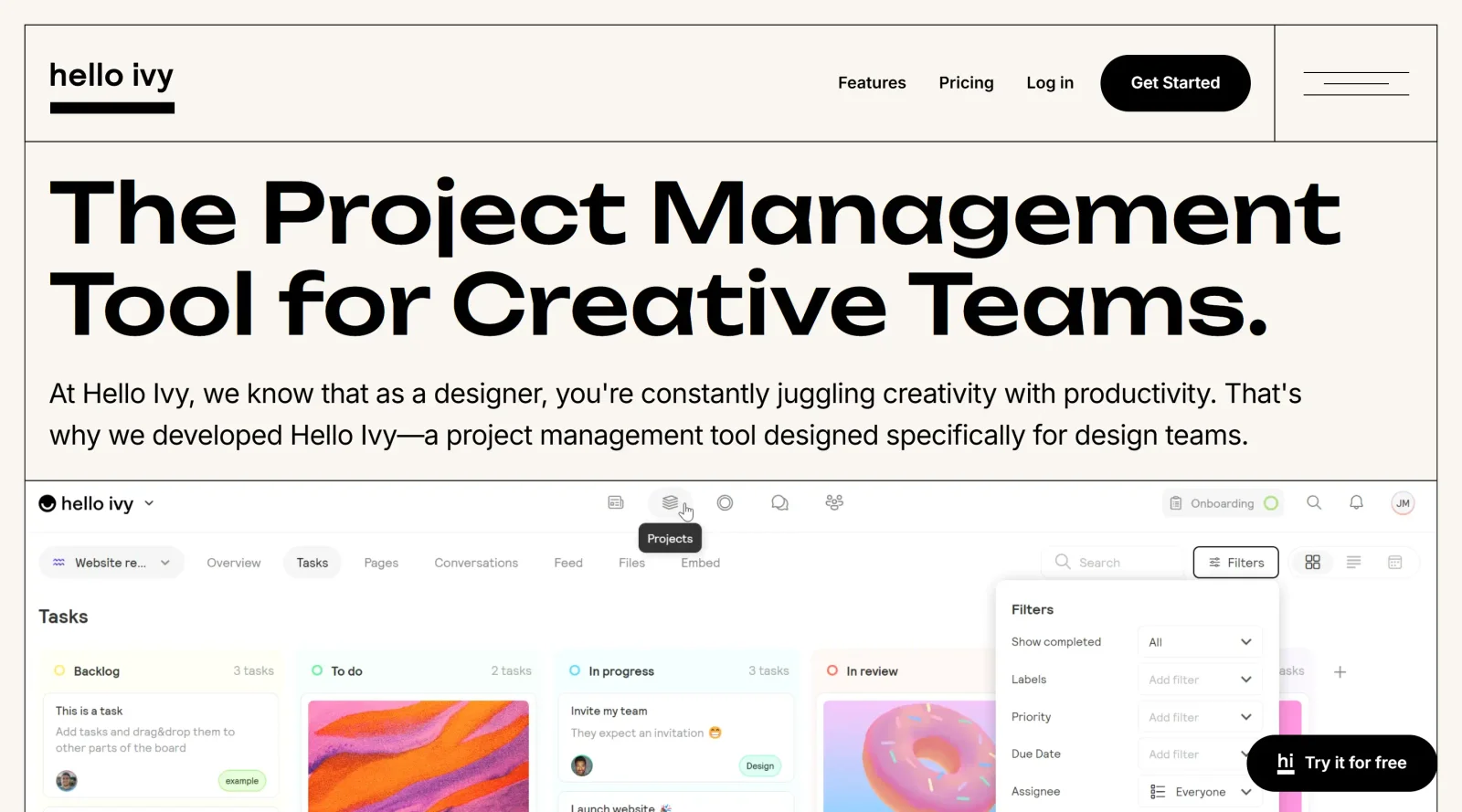
hello ivy is a project management tool designed for design teams, providing a centralized workspace to organize tasks, files, and communication. It fits into the design workflow by supporting task tracking, feedback integration, and timeline visualization, particularly in collaborative environments. As a project-management solution with a freemium pricing model, hello ivy enables teams to manage multiple projects without switching between applications.
What hello ivy Does
- Manages tasks across multiple projects with prioritization and progress tracking.
- Organizes files by project, supporting version control, annotations, and moodboards.
- Provides roadmaps and timeline views to visualize projects and tasks by team member.
- Offers real-time chat for group and one-on-one discussions, with mentions and context referencing.
- Supports document management, file sharing, and commenting in context for collaboration.
- Includes calendar views and custom task overviews for workload management.
How hello ivy Can Be Used
- Design teams draft briefs, assign tasks, and track progress from ideation to approval in a single project space.
- Collaborators annotate images, leave version-specific comments, and resolve feedback loops without email chains.
- Agencies manage client projects by sorting roadmaps by team member and monitoring deadlines across timelines.
- Remote teams centralize Figma files, chats, and updates to reduce meetings and maintain oversight.
- Cross-departmental groups use task overviews and calendars to align on priorities and resource allocation.
Who Is hello ivy For?
hello ivy serves design agencies, in-house design teams, and creative professionals handling multiple projects with file-heavy workflows. It suits roles like designers, art directors, and project coordinators who need design-centric features such as image annotation and version control alongside standard task management. Teams transitioning from scattered tools like Slack, email, or Figma comments benefit from its unified interface. Individual freelancers managing client feedback or small studios scaling collaboration find it applicable. Visit hello ivy
Featured Tools
Sponsored
Artlist
Royalty-free music, SFX, 8K footage, templates, LUTs and 100+ AI models on a single subscription for video creators.

Icons8
Large icon packs featuring over 10,000 icons for consistent design themes.

Vidu
AI video generator with text, image and reference-to-video modes, producing 3–16 second clips at up to 1080p with characters that stay consistent across shots.
Your tool here
The tools above are our own picks until the slots sell.

More Project Management Tools


Air
Experience visual browsing with powerful search, secure sharing, and smooth collaboration.


Asana
Manage projects and adapt to changing priorities in remote work settings.


Basecamp
Comprehensive toolkit for effective remote working.


Bubbles
Initiate discussions by commenting on any on-screen content.


Campsite
A dedicated space for design teams to manage work-in-progress.


Canva Whiteboards
Canva Whiteboards for creative brainstorming and teamwork.
Explore Other Categories
Discover more design resources
New to Design?
Explore our comprehensive design glossary to master essential terminology from A/B Testing to Wireframes.
Browse GlossaryLooking for something specific?
Search through our entire collection of design tools and resources