
Open platform for finding color inspiration and trendy palettes.
What it costs
- Free tier
- Yes
Free curated color-palette gallery with browser extension; no paid plan.
Auto-checked on 8 August 2026Source
About Color Hunt
What Is Color Hunt?
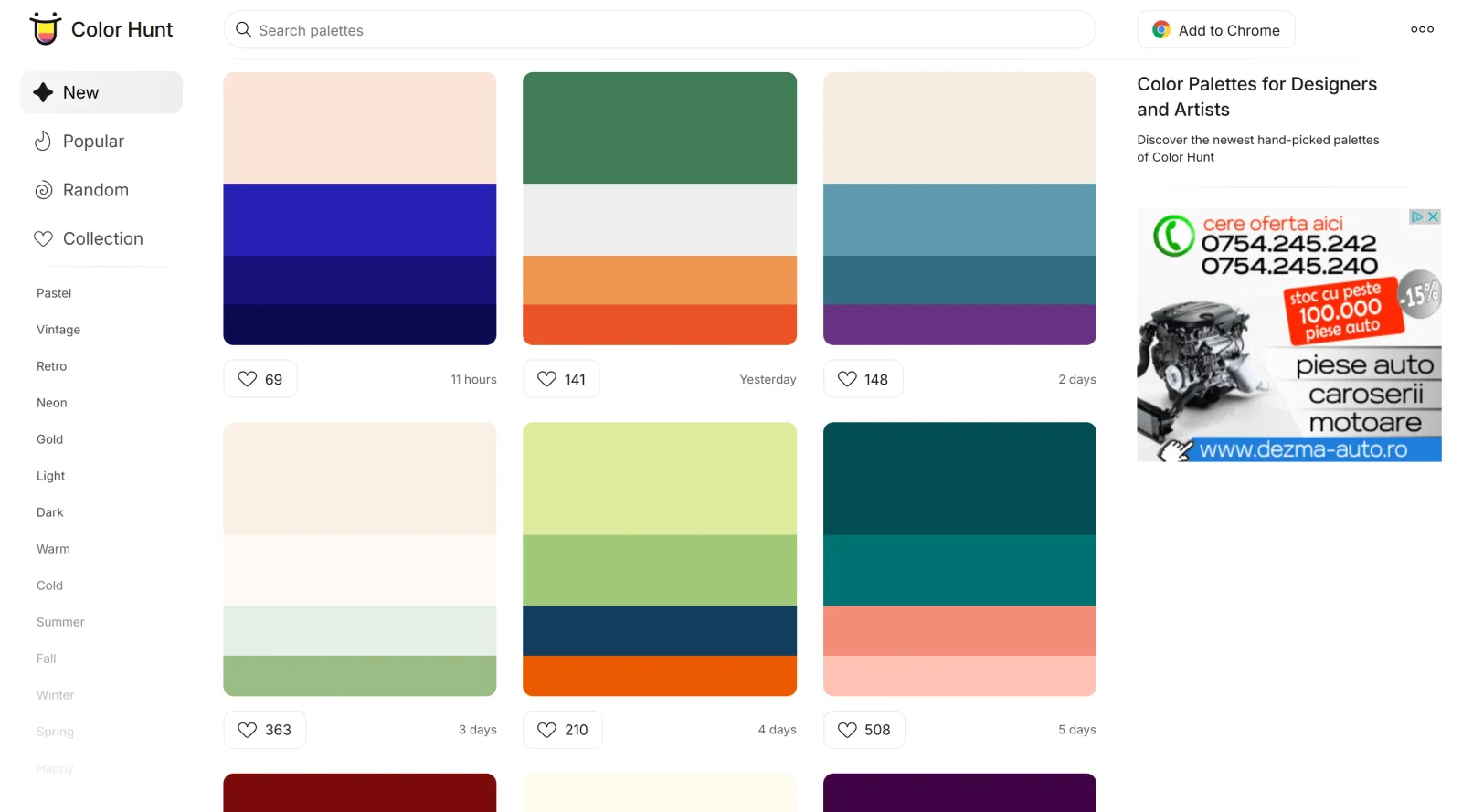
Color Hunt is a free, online platform that provides designers and artists with curated color palettes for inspiration and design projects. The tool serves as a community-driven resource where users can browse, search, and discover harmonious color combinations that reflect current design trends. Rather than requiring designers to generate color schemes from scratch, Color Hunt offers a collection of ready-to-use palettes created and shared by a community of design professionals, making it accessible to both beginners and experienced designers seeking quick access to proven color combinations.
What Color Hunt Does
- Browse and search through thousands of curated color palettes organized by themes, moods, and trending styles
- Copy palette hex codes instantly with a single click for seamless integration into design projects
- Create and submit custom color palettes to the platform's community collection
- Save favorite palettes and organize them into personal collections for future reference
- Download palettes as PNG files or share palette links with others
- Access color palettes through multiple formats, including a Chrome extension and mobile app
How Color Hunt Can Be Used
Designers and developers use Color Hunt at various stages of the design process. Web designers can select palettes to maintain color consistency across website designs. Digital marketers may use the platform to find on-trend color schemes for campaigns and social media graphics. UI designers can explore harmonious color combinations before applying them to interface designs. The tool also works well for those seeking quick visual reference — the Chrome extension displays a random palette each time a new tab opens, providing continuous design inspiration during a workday.
Who Is Color Hunt For?
Color Hunt is designed for web designers, UI designers, digital marketers, social media managers, and visual artists who need quick access to professional color combinations. The platform's straightforward interface and minimalist design make it particularly valuable for teams that need to establish consistent color guidelines without extensive experimentation. Whether you're building a website, creating marketing materials, or exploring color inspiration, Color Hunt offers a practical starting point for color-driven design decisions. Visit Color Hunt
Color Hunt pros and cons
- Hand-picked: every submission is reviewed, and the day's best pick reaches the homepage the next day
- Click any swatch to copy its hex code, and palette pages also list RGB values
- Browse by color or by themes such as pastel, retro, neon, wedding and Halloween
- No account needed to browse, save palettes to a collection or submit your own
- Any palette downloads as a PNG image, ready for a moodboard or brief
- Every palette is fixed at four colors, so larger UI or brand systems need extra work
- Your collection lives in browser storage, so it doesn't sync across devices
- Exports stop at a PNG and a share link, with no ASE, CSS or design-tool swatch files
- Palette pages show hex and RGB only, with no contrast or accessibility information
Color Hunt is a hand-curated feed of four-color palettes that designer Gal Shir has run since 2015. It works best as quick inspiration: filter by a mood or season, click a swatch to copy the hex, and save favorites without signing up. The trade-off is depth. Every palette has exactly four colors, pages show only hex and RGB, and the only export is a PNG. So it won't build a full UI color scale, check contrast or hand swatches to a design tool. Use it to find a starting combination, then switch to a palette generator or contrast checker when you need a production-ready color system.
Frequently asked questions
Is Color Hunt free?
Yes. Color Hunt has no paid plan or pricing page. Browsing, copying color codes, downloading palette images and submitting palettes are all free.
Can I use Color Hunt palettes in commercial projects?
Color Hunt's About page says each palette is public property, not owned by a specific creator or by Color Hunt. Its Terms of Service don't add a separate license or usage restrictions for palettes.
Do I need an account to use Color Hunt?
No. There is no sign-up. Palettes you save go into a collection stored in your browser, so they won't carry over to another device or browser.
How many colors are in a Color Hunt palette?
Four. The feed and the palette creator both use a fixed four-color format. New submissions are reviewed before they appear, and the day's best pick is featured on the homepage the next day.
Featured Tools
Sponsored
Artlist
Royalty-free music, SFX, 8K footage, templates, LUTs and 100+ AI models on a single subscription for video creators.

Icons8
Large icon packs featuring over 10,000 icons for consistent design themes.

Vidu
AI video generator with text, image and reference-to-video modes, producing 3–16 second clips at up to 1080p with characters that stay consistent across shots.
Your tool here
The tools above are our own picks until the slots sell.
Spotlight
SponsoredRotates daily
HyNote
Records and transcribes interviews and meetings, then turns them into summaries and action items.
More Color Tools Tools


Hue Codex
Hue Codex is a free, no-account color workspace for designers and developers, with palette generation, WCAG contrast checks, modern CSS tools, image color extraction, local saving, and exports.


Upclimb Color Picker
A free browser-based tool for designers & clients to decide on color schemes. Pick & save colors, generate color palettes, extract website colors, check WCAG contrast & find passing colors.


Adobe Color
Create and explore color themes and trends with an inspirational tool.


Alphredo
Generate translucent colors that match their opaque versions.


Atmos
Easily create effective UI color palettes.


Cheeky Palettes
Find color palette inspiration in real-world context.
Explore Other Categories
Discover more design resources
New to Design?
Explore our comprehensive design glossary to master essential terminology from A/B Testing to Wireframes.
Browse GlossaryLooking for something specific?
Search through our entire collection of design tools and resources