

What it costs
- Free tier
- Yes
Free color-scale generator with an accompanying Figma plugin; no paid plan.
Auto-checked on 8 August 2026Source
About ColorBox
What Is ColorBox?
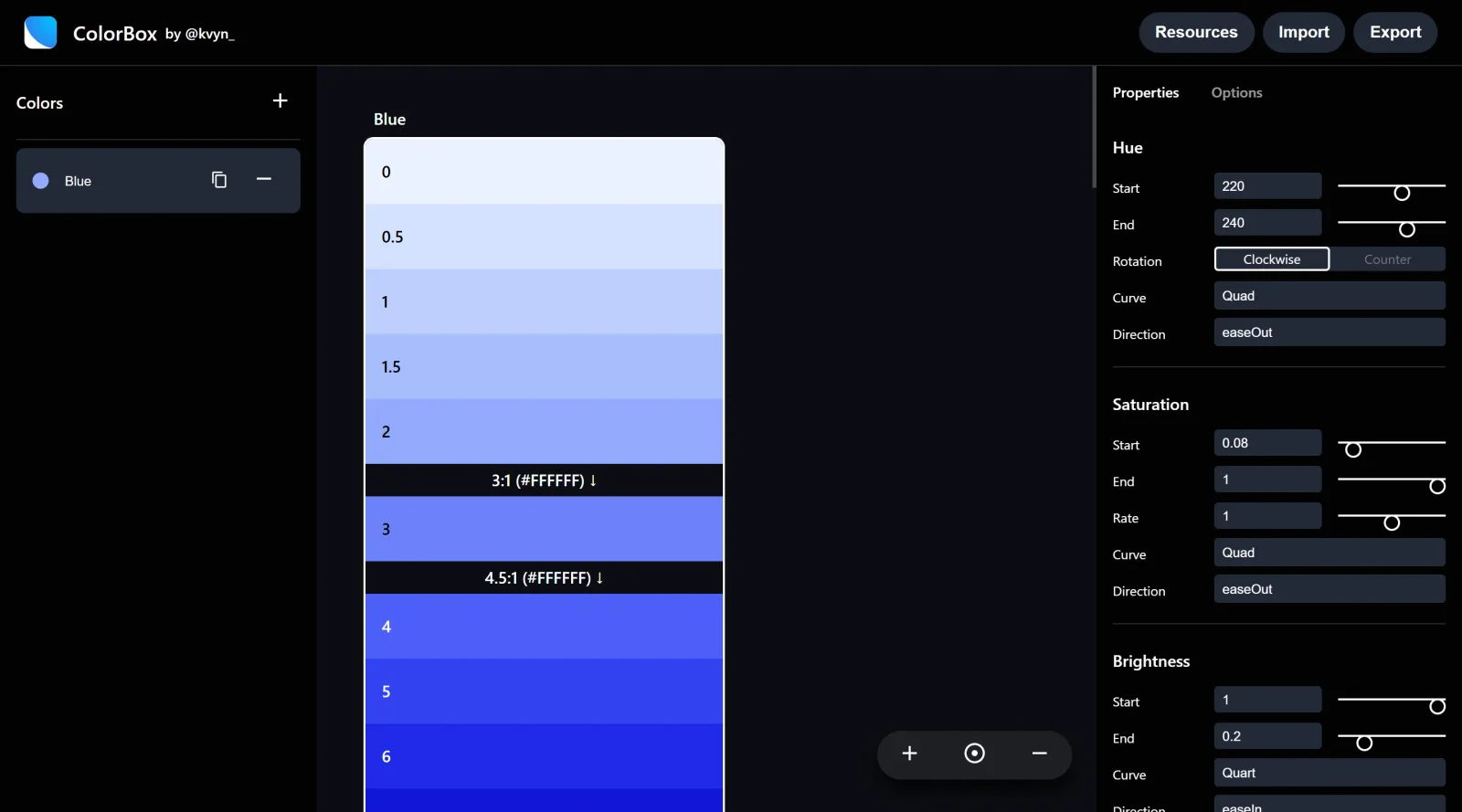
ColorBox is a free web-based design tool in the **Design** category that generates smooth gradients and color palettes. Developed by the Lyft Design team, ColorBox enables users to create consistent color scales and variations for use in UI design, design systems, and digital projects. It fits into the early stages of the design workflow, where designers establish color foundations before applying them in tools like Figma or Sketch.
What ColorBox Does
- Generates color scales with customizable steps, such as 11 shades from color 0 to color 100.
- Allows adjustment of hue ranges, specifying start and end values between 0 and 359 degrees.
- Controls saturation progression across a range from 0 to 1, enabling acceleration or deceleration for branded or grayscale effects.
- Produces smooth gradients with distinct variations, maintaining consistency across tools and monitors.
- Supports export options, including JSON files for import into Figma via plugins.
- Provides control over gradient curves to emphasize lighter or darker shades as needed.
How ColorBox Can Be Used
- Designers audit existing colors in Figma files or websites, then input base colors into ColorBox to generate a unified palette for buttons, hover states, and active components.
- Teams build design systems by creating gradients for primary colors like reds or yellows, exporting scales to Figma for shared style libraries.
- Individual creators produce color sets for one-off UI designs, adjusting hue and saturation to match brand guidelines.
- Developers reference ColorBox outputs to migrate legacy colors in codebases, ensuring front-end consistency with design tools.
- Workflow integration involves pasting HEX or JSON data from ColorBox into design software for rapid palette application.
Who Is ColorBox For?
ColorBox serves UI designers, design system maintainers, and front-end developers who need algorithmic color generation for consistent palettes and gradients. It suits teams at companies like Lyft working on scalable color systems, as well as freelancers handling brand color variations in projects. Experience levels range from intermediate users familiar with color theory to advanced practitioners building shared libraries in Figma or Sketch. Visit ColorBox
Featured Tools
Sponsored
Artlist
Royalty-free music, SFX, 8K footage, templates, LUTs and 100+ AI models on a single subscription for video creators.

Icons8
Large icon packs featuring over 10,000 icons for consistent design themes.

Vidu
AI video generator with text, image and reference-to-video modes, producing 3–16 second clips at up to 1080p with characters that stay consistent across shots.
Your tool here
The tools above are our own picks until the slots sell.

More Color Tools Tools


Hue Codex
Hue Codex is a free, no-account color workspace for designers and developers, with palette generation, WCAG contrast checks, modern CSS tools, image color extraction, local saving, and exports.


Upclimb Color Picker
A free browser-based tool for designers & clients to decide on color schemes. Pick & save colors, generate color palettes, extract website colors, check WCAG contrast & find passing colors.


Adobe Color
Create and explore color themes and trends with an inspirational tool.


Alphredo
Generate translucent colors that match their opaque versions.


Atmos
Easily create effective UI color palettes.


Cheeky Palettes
Find color palette inspiration in real-world context.
Explore Other Categories
Discover more design resources
New to Design?
Explore our comprehensive design glossary to master essential terminology from A/B Testing to Wireframes.
Browse GlossaryLooking for something specific?
Search through our entire collection of design tools and resources