

What it costs
- Free tier
- Yes
Free accessible-palette design tool supported by Buy Me a Coffee / Ko-fi; the '$' figures on the page are sample-table data, not pricing.
Auto-checked on 8 August 2026Source
About Colorca
What Is Colorca?
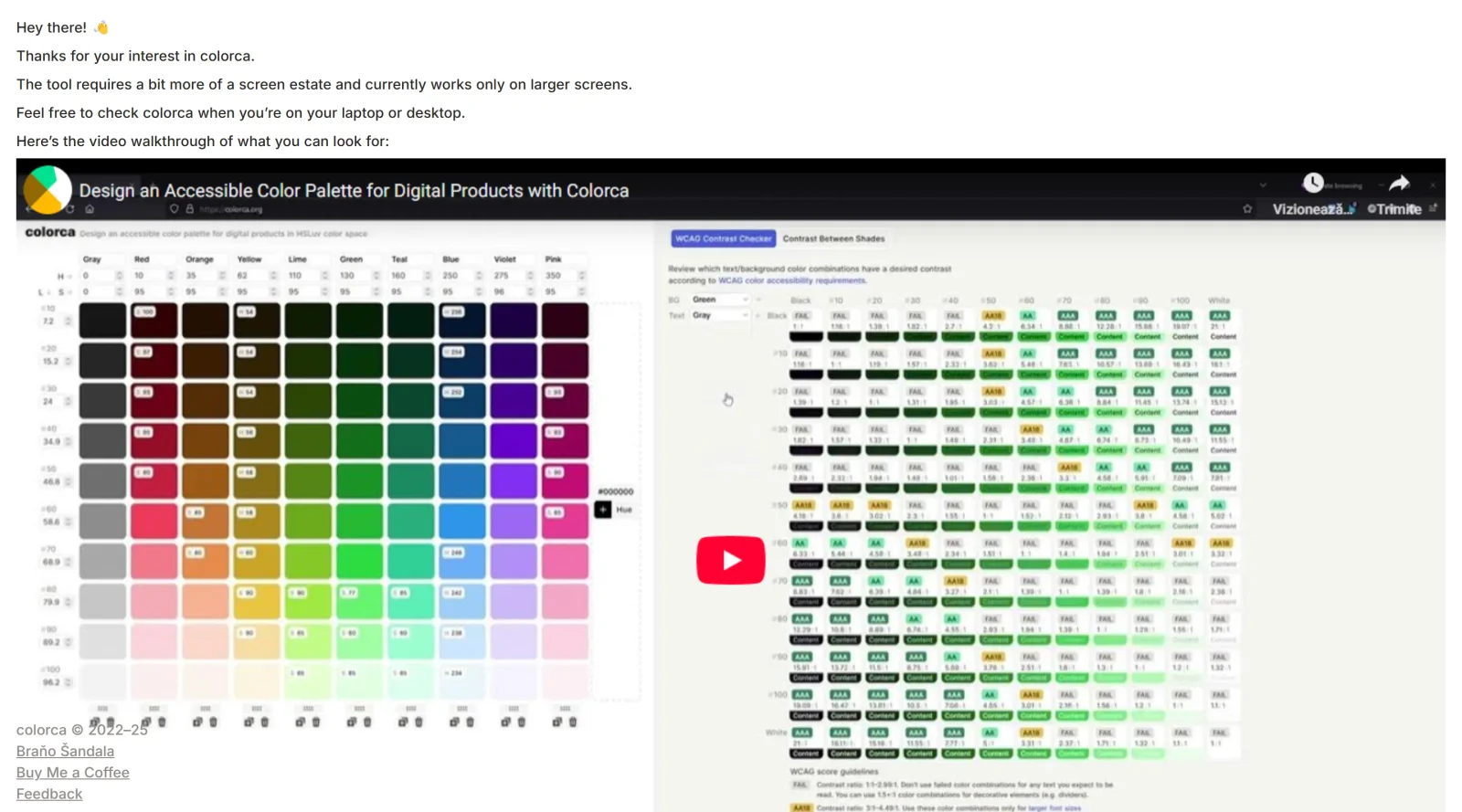
Colorca is a free, web-based color palette tool designed to help designers and developers create, customize, and manage harmonious color sets. It functions as a comprehensive color design application that enables users to build accessible, visually cohesive palettes through an intuitive interface. The tool emphasizes both aesthetic appeal and accessibility compliance, making it suitable for projects that require colors meeting web standards and usability guidelines.
What Colorca Does
- Generates color palettes with customizable hue, saturation, and lightness adjustments
- Checks color combinations against WCAG accessibility guidelines to ensure readability and contrast compliance
- Provides preview functionality to visualize how palettes appear across different backgrounds and devices
- Exports color palettes in multiple formats for integration into design tools and workflows
- Offers customization options to fine-tune contrast levels and refine color harmony
How Colorca Can Be Used
- Building accessible color schemes for websites and applications that meet WCAG standards
- Creating harmonious palettes for branding projects where color relationships matter
- Testing color contrast between foreground and background elements to ensure readability for users with visual impairments
- Exporting refined palettes directly into design software like Figma, CSS frameworks, or other development environments
- Exploring different color harmonies and preview variations before committing to final selections
Who Is Colorca For?
Colorca serves UI designers, UX designers, web developers, and graphic designers who prioritize both visual design and digital accessibility. It is particularly valuable for teams working on products that must comply with accessibility standards, as well as designers seeking a streamlined workflow for palette creation and export. The tool works optimally on desktop and laptop screens, making it best suited for focused design work sessions rather than mobile-based workflows. Visit Colorca
Featured Tools
Sponsored
Artlist
Royalty-free music, SFX, 8K footage, templates, LUTs and 100+ AI models on a single subscription for video creators.

Icons8
Large icon packs featuring over 10,000 icons for consistent design themes.

Vidu
AI video generator with text, image and reference-to-video modes, producing 3–16 second clips at up to 1080p with characters that stay consistent across shots.
Your tool here
The tools above are our own picks until the slots sell.

More Color Tools Tools


Hue Codex
Hue Codex is a free, no-account color workspace for designers and developers, with palette generation, WCAG contrast checks, modern CSS tools, image color extraction, local saving, and exports.


Upclimb Color Picker
A free browser-based tool for designers & clients to decide on color schemes. Pick & save colors, generate color palettes, extract website colors, check WCAG contrast & find passing colors.


Adobe Color
Create and explore color themes and trends with an inspirational tool.


Alphredo
Generate translucent colors that match their opaque versions.


Atmos
Easily create effective UI color palettes.


Cheeky Palettes
Find color palette inspiration in real-world context.
Explore Other Categories
Discover more design resources
New to Design?
Explore our comprehensive design glossary to master essential terminology from A/B Testing to Wireframes.
Browse GlossaryLooking for something specific?
Search through our entire collection of design tools and resources