

What it costs
- Free tier
- Yes
Free color-palette inspiration site showing curated hues in context; no paid plan.
Auto-checked on 8 August 2026Source
About Happy Hues
What Is Happy Hues?
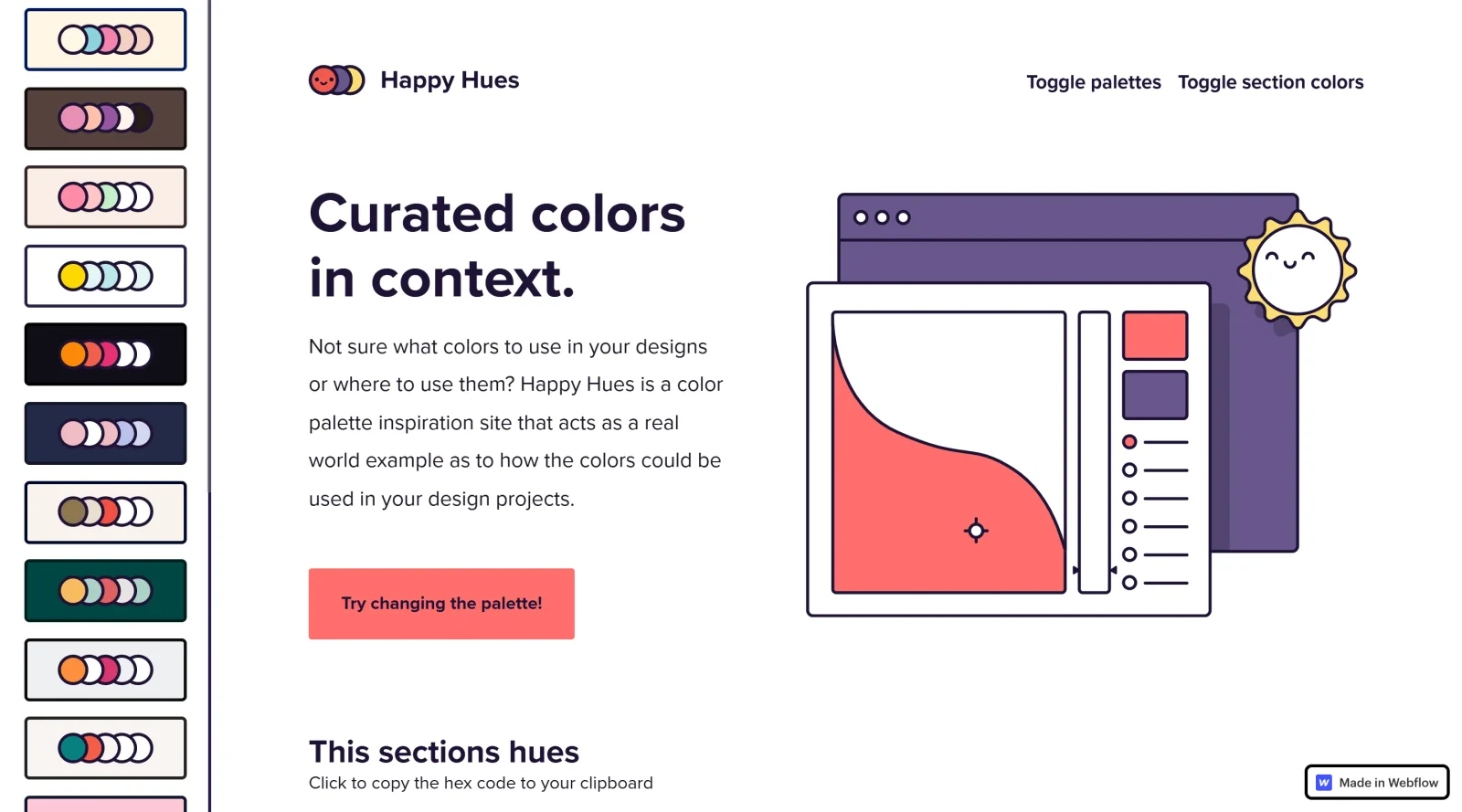
Happy Hues is a free online color palette generatorand inspiration tool in the color tools category that presents curated color palettes within real-world website layouts. Its core purpose is to demonstrate how specific color combinations function together in actual UI designs, allowing users to see palettes applied to backgrounds, text, buttons, and illustrations in context rather than isolated swatches. Happy Hues fits into the early to mid stages of the design workflow, particularly during color selection and prototyping, where designers and developers seek practical examples to inform their choices.
What Happy Hues Does
- Displays a collection of curated color palettes on a single-page interface, with options to browse and select from scrollable previews.
- Applies selected palettes instantly to the entire webpage layout, updating backgrounds, headlines, illustrations, buttons, text, and other elements to show real-world application.
- Provides "This Section's Hues" panels in each page section, listing HEX color codes for elements like backgrounds, icons, and cards that users can copy to their clipboard.
- Includes toggle controls to enable or disable section-specific color changes and palette previews.
- Offers explanations of color terminology such as hue, tint, shade, tone, value, and saturation directly on the site.
- Features a section on color psychology to contextualize palette choices alongside practical UI usage labels.
How Happy Hues Can Be Used
- Designers select a palette from the left sidebar to preview its application across a full webpage, helping evaluate harmony in navigation, content sections, and footers before implementing in tools like Figma or Sketch.
- Developers copy HEX codes from contextual "This Section's Hues" displays to apply exact colors to CSS for backgrounds, typography, and interactive elements during frontend development.
- Teams iterate on color schemes by toggling palettes and sections, observing changes in atmosphere for projects like landing pages or app interfaces without building mockups.
- Beginners reference built-in terminology and psychology notes while copying colors for illustrations or UI prototypes in Adobe programs.
- Users test multiple variations by scrolling through sections like preface, color terminology, and footer, each adapting to the active palette for comprehensive evaluation.
Who Is Happy Hues For?
Happy Hues serves UI designers, web developers, and product teams needing visual context for color decisions in digital projects. It suits beginners learning color theory through terminology and examples, as well as experienced professionals seeking quick palette inspiration with copyable codes for efficient workflows. The tool works well for projects involving website redesigns, app theming, or branding where understanding color roles in layouts is key. Visit Happy Hues
Featured Tools
Sponsored
Artlist
Royalty-free music, SFX, 8K footage, templates, LUTs and 100+ AI models on a single subscription for video creators.

Icons8
Large icon packs featuring over 10,000 icons for consistent design themes.

Vidu
AI video generator with text, image and reference-to-video modes, producing 3–16 second clips at up to 1080p with characters that stay consistent across shots.
Your tool here
The tools above are our own picks until the slots sell.
Spotlight
SponsoredRotates daily
HyNote
Records and transcribes interviews and meetings, then turns them into summaries and action items.
More Color Tools Tools


Hue Codex
Hue Codex is a free, no-account color workspace for designers and developers, with palette generation, WCAG contrast checks, modern CSS tools, image color extraction, local saving, and exports.


Upclimb Color Picker
A free browser-based tool for designers & clients to decide on color schemes. Pick & save colors, generate color palettes, extract website colors, check WCAG contrast & find passing colors.


Adobe Color
Create and explore color themes and trends with an inspirational tool.


Alphredo
Generate translucent colors that match their opaque versions.


Atmos
Easily create effective UI color palettes.


Cheeky Palettes
Find color palette inspiration in real-world context.
Explore Other Categories
Discover more design resources
New to Design?
Explore our comprehensive design glossary to master essential terminology from A/B Testing to Wireframes.
Browse GlossaryLooking for something specific?
Search through our entire collection of design tools and resources