

What it costs
- Free tier
- Yes
Free open-source accessible color-contrast generator (also an npm package), no paid plan.
Auto-checked on 8 August 2026Source
About Randoma11y
What Is Randoma11y?
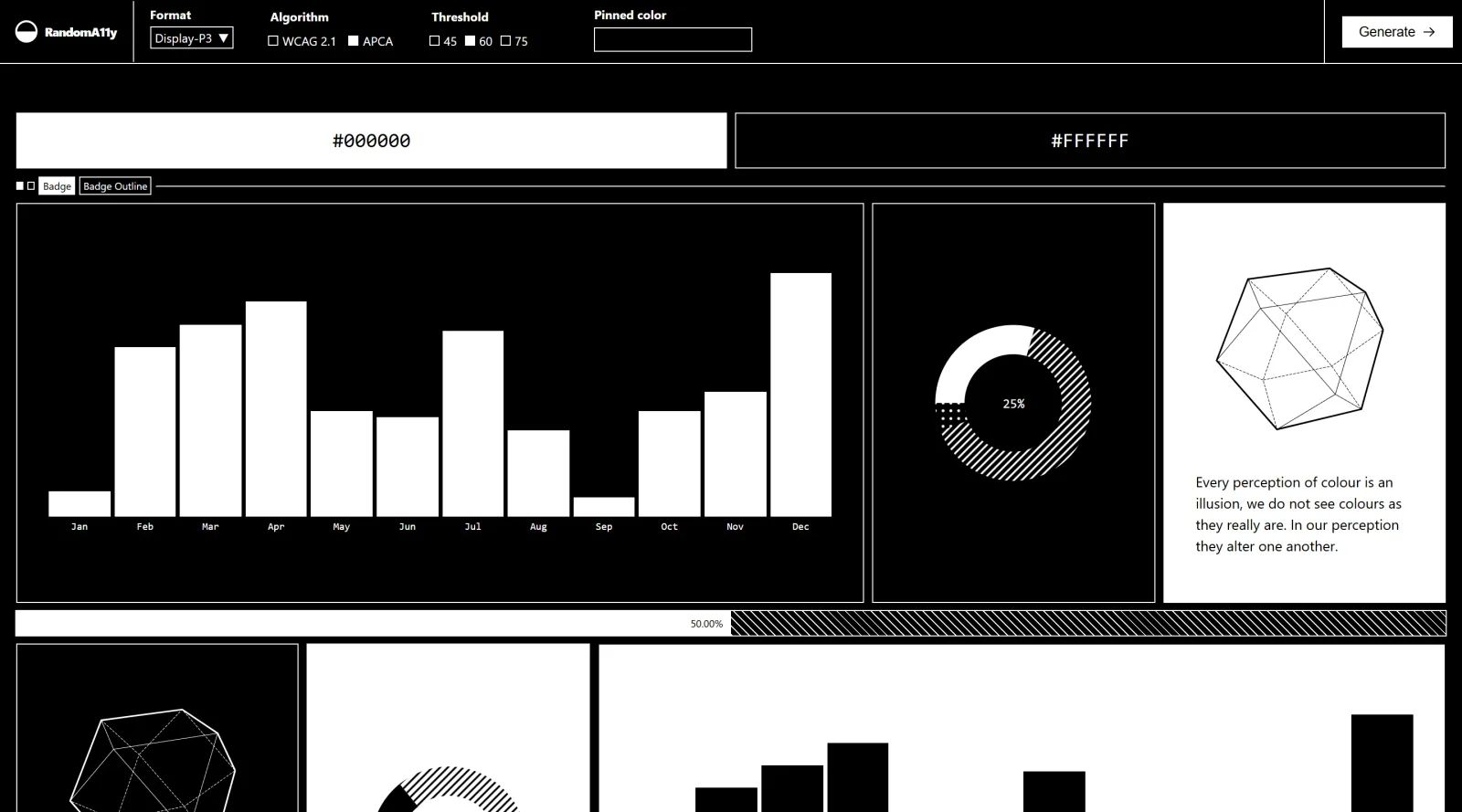
Randoma11y is a free color palette generator designed to help designers and developers create accessible color combinations without manual testing. As a web-based tool in the color-tools category, it automatically generates random pairings of foreground and background colors that meet WCAG accessibility standards. Each combination is tested to ensure sufficient contrast ratios, making it possible to explore color options while maintaining compliance with accessibility guidelines.
What Randoma11y Does
- Generates random color pairings that meet WCAG contrast standards automatically
- Displays detailed contrast ratios for each color combination to show accessibility compliance
- Provides visual previews of how colors appear in real design contexts, including buttons, text, and icons
- Allows users to toggle between AA and AAA level WCAG guidelines based on project requirements
- Requires no coding knowledge or configuration—simply refresh to explore new combinations
- Tests combinations against the 4.5:1 contrast ratio standard for normal text and 3:1 for large text
How Randoma11y Can Be Used
Randoma11y serves as both an inspiration tool and a practical solution for accessible design. Designers can use it to explore color possibilities quickly when starting a new project or refresh an existing palette. Developers implementing custom theming can rely on it to find color combinations that automatically satisfy accessibility requirements. It is particularly useful when you need to validate whether specific color pairings meet WCAG standards before implementation, or when you want to discover trendy color options while ensuring compliance without extensive manual contrast checking.
Who Is Randoma11y For?
Randoma11y is ideal for web designers, developers, and design teams who prioritize accessibility in their work. It serves designers seeking color inspiration without sacrificing inclusive design principles, developers building accessible interfaces, and organizations documenting brand color accessibility for internal guidelines. The tool works well for anyone creating websites, applications, or digital products that need to meet accessibility standards, regardless of experience level. Because it requires no technical setup or coding knowledge, it is equally useful for beginners learning about color contrast and professionals managing large-scale design systems. Visit Randoma11y
Featured Tools
Sponsored
Artlist
Royalty-free music, SFX, 8K footage, templates, LUTs and 100+ AI models on a single subscription for video creators.

Icons8
Large icon packs featuring over 10,000 icons for consistent design themes.

Vidu
AI video generator with text, image and reference-to-video modes, producing 3–16 second clips at up to 1080p with characters that stay consistent across shots.
Your tool here
The tools above are our own picks until the slots sell.

More Color Tools Tools


Hue Codex
Hue Codex is a free, no-account color workspace for designers and developers, with palette generation, WCAG contrast checks, modern CSS tools, image color extraction, local saving, and exports.


Upclimb Color Picker
A free browser-based tool for designers & clients to decide on color schemes. Pick & save colors, generate color palettes, extract website colors, check WCAG contrast & find passing colors.


Adobe Color
Create and explore color themes and trends with an inspirational tool.


Alphredo
Generate translucent colors that match their opaque versions.


Atmos
Easily create effective UI color palettes.


Cheeky Palettes
Find color palette inspiration in real-world context.
Explore Other Categories
Discover more design resources
New to Design?
Explore our comprehensive design glossary to master essential terminology from A/B Testing to Wireframes.
Browse GlossaryLooking for something specific?
Search through our entire collection of design tools and resources