

What it costs
- Free tier
- Yes
Free color-scale generator experiment hosted on GitHub Pages; no pricing anywhere.
Auto-checked on 8 August 2026Source
About Scale
What Is Scale?
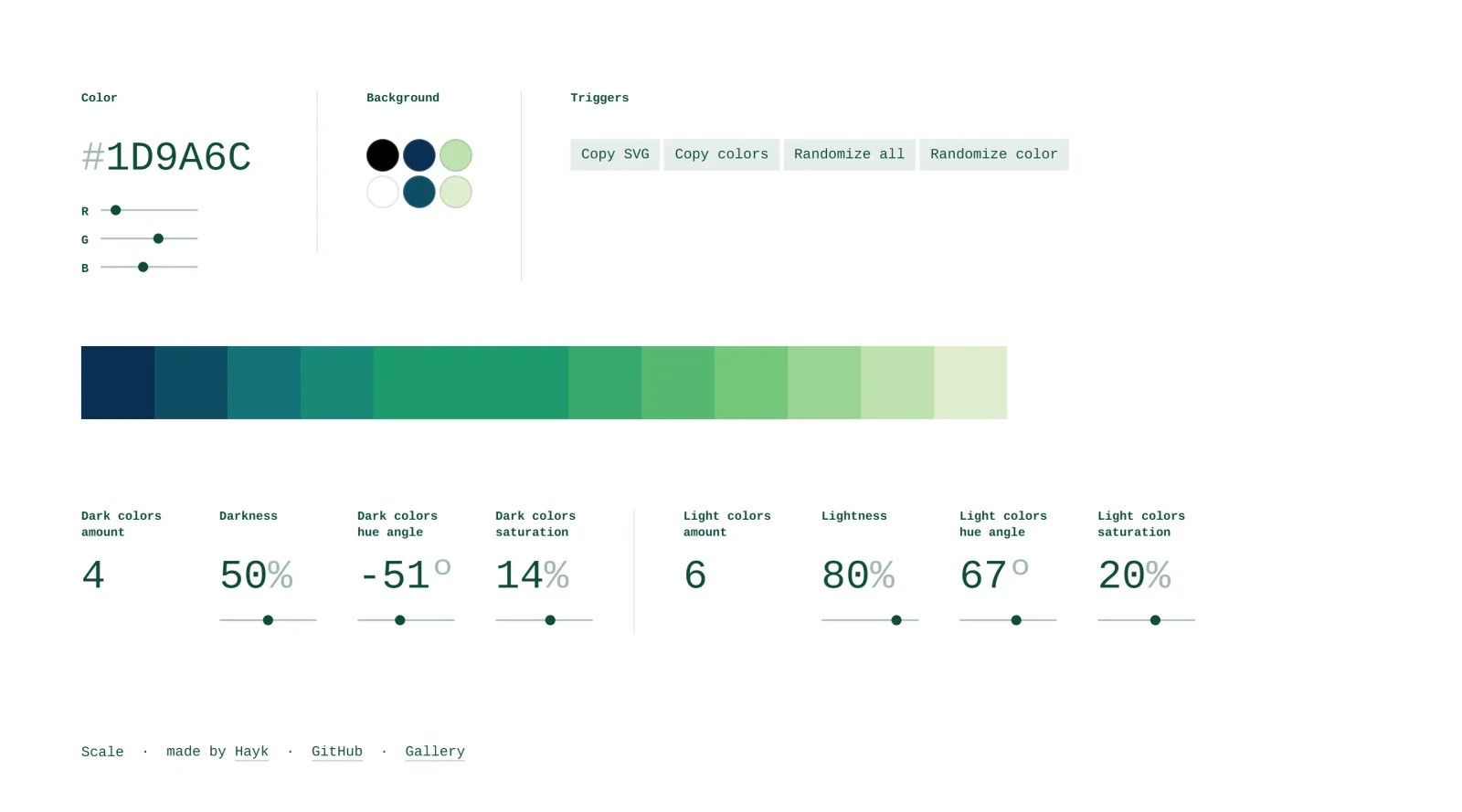
Scale is a free color scale generator designed to simplify the process of creating harmonious color ramps. Rather than manually selecting and adjusting colors by eye, Scale uses a generative method to produce systematic color scales from a base color or set of parameters. The tool helps designers and developers build consistent color systems for design tokens, UI themes, and data visualizations without requiring extensive manual fine-tuning.
What Scale Does
- Generates color scales from a single base color or custom parameters
- Adjusts hue angle, saturation, and lightness to create visually coherent color ramps
- Produces multiple color values across a spectrum, useful for creating design system tokens
- Allows customization of dark and light color ranges independently
- Exports color values in standard formats for use in design tools and code
How Scale Can Be Used
Scale serves practical workflows across design and development. Use it to establish a complete color palette for a design system without manually testing dozens of color combinations. It works well for creating accessible color contrast ramps needed in modern UI kits, building data visualization color schemes for charts and dashboards, generating tonal variations for component states (hover, active, disabled), and exporting tokens for front-end implementation. Rather than guessing at saturation and lightness values, Scale automates the systematic progression between colors.
Who Is Scale For?
Scale is most useful for designers building design systems, UX professionals creating consistent color tokens, and developers implementing themeable interfaces. It benefits teams that need repeatable, mathematically-sound color scales rather than arbitrary selections. Product designers working with data visualization also find Scale helpful for generating perceptually balanced color schemes. Since Scale is free and web-based, it suits both independent designers and larger teams seeking a lightweight alternative to more complex color management systems. Visit Scale
Featured Tools
Sponsored
Artlist
Royalty-free music, SFX, 8K footage, templates, LUTs and 100+ AI models on a single subscription for video creators.

Icons8
Large icon packs featuring over 10,000 icons for consistent design themes.

Vidu
AI video generator with text, image and reference-to-video modes, producing 3–16 second clips at up to 1080p with characters that stay consistent across shots.
Your tool here
The tools above are our own picks until the slots sell.
Spotlight
SponsoredRotates daily
HyNote
Records and transcribes interviews and meetings, then turns them into summaries and action items.
More Color Tools Tools


Hue Codex
Hue Codex is a free, no-account color workspace for designers and developers, with palette generation, WCAG contrast checks, modern CSS tools, image color extraction, local saving, and exports.


Upclimb Color Picker
A free browser-based tool for designers & clients to decide on color schemes. Pick & save colors, generate color palettes, extract website colors, check WCAG contrast & find passing colors.


Adobe Color
Create and explore color themes and trends with an inspirational tool.


Alphredo
Generate translucent colors that match their opaque versions.


Atmos
Easily create effective UI color palettes.


Cheeky Palettes
Find color palette inspiration in real-world context.
Explore Other Categories
Discover more design resources
New to Design?
Explore our comprehensive design glossary to master essential terminology from A/B Testing to Wireframes.
Browse GlossaryLooking for something specific?
Search through our entire collection of design tools and resources